
Booking & payments
Group and class bookings
Capacity, class times, party size, and remaining spots on the widget.
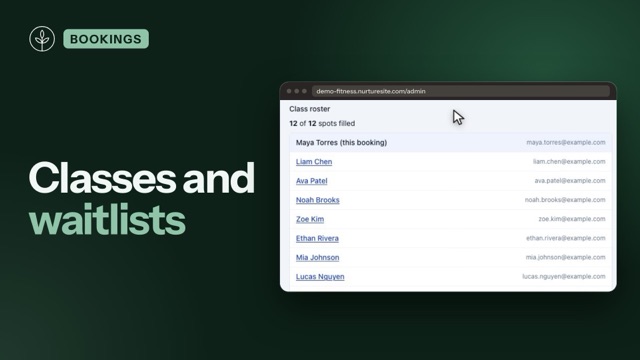
Offer one-on-one appointments and group/class sessions from the same Scheduling admin and public booking widget.
One-on-one vs group
| Mode | Who can book that time | Capacity |
|---|---|---|
| One-on-one (default) | One active booking blocks that staff time | Always 1 |
| Group / class | Multiple sign-ups share the same start time | You set the limit |
Set the mode on Scheduling → Services. Switching back to one-on-one resets capacity to 1 and turns off custom class times (saved schedule rows stay inactive so you can restore them later).
Inherit hours vs specific class times
Inherit (default): openings follow site business hours or that staff member’s custom hours, stepped by your slot interval. Every generated slot shares the service’s Sign-ups per time limit (capacity).
Specific class times: the service only offers the weekly (or one-off) times you define. Each row has its own capacity (Tue 6pm = 8, Sat 10am = 12). Slot interval is hidden—each row is one class start using the service duration.
You can cancel a single recurring date later without deleting the class template.
Party size and deposits
On the public widget and admin book panel, when remaining seats are greater than 1, visitors (or staff) choose Number of people (1 through remaining). Price and deposit multiply by party size. Spot counts update as bookings confirm. A required waiver is one envelope per booking (the booker) — party size is not N signatures. See Forms, waivers, and e-sign.
Remaining spots on the widget
Group time buttons show remaining seats (for example 6:00 PM · 3 spots left). When the class is full and a waitlist is on for that service, the time stays visible as Join waitlist instead of disappearing. See Booking waitlists.
Staff selection with classes
Two instructors teaching at 6pm are two separate openings—the widget does not collapse them into one chip. Staff name stays visible when more than one calendar offers the service.
Any available assigns the first staff calendar (sort order) that still has enough seats for the party size. See Who customers book with.
Admin hub and calendar
Openings show seats left. Same calendar + service + start time cluster into one calendar block (for example Yoga · 5/8) instead of stacked bars. Appointment detail shows party size, occupancy, and links to other sign-ups in that class.
Cancel and seats
Canceling one booking frees those seats for others, then offers the next waitlisted person a timed claim if a waitlist is on. The class time stays on the calendar until the last booking is gone (or you cancel the class / skip a date). Refunds follow the service cancellation policy and are issued through Stripe when Connect is ready.
Related articles
- Online booking setupServices, staff, hours, timezone, payments, and the booking block.
- Booking waitlistsPer-service waitlists, offer-to-claim holds, class email, and booking amendments.
- Who customers book withService-only, must pick a person, or any stylist — and industry defaults.
- Managing appointmentsView, cancel, invoice balances, confirmation emails, and customer manage links.
- Scheduling overviewUpcoming appointments and Stripe Connect in NurtureSite.
- Stripe Connect, deposits, and invoicesCollect appointment deposits, send customer invoices, and receive payouts.
- Forms, waivers, and e-signPrepare waivers and intake, collect signatures on your site, and keep signed PDFs on the CRM record—required at booking, sent after, or sent from the record any time.
- Leads vs bookingsWhen to use contact forms vs the booking scheduler.