
Leads & CRM
CRM records
Name the list Customers, Patients, Households, Students, or Leads; primary contact, matching, consent, and send audience.
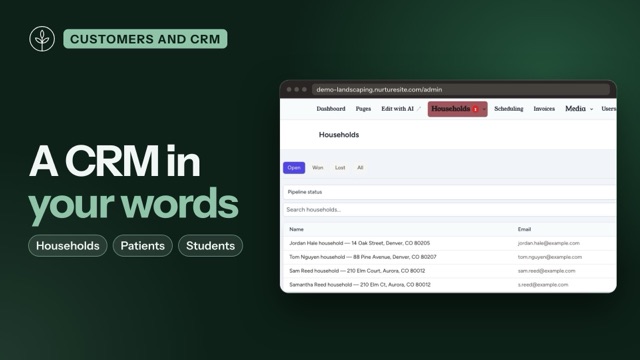
Site admin names the CRM list after the business: Leads, Customers, Patients, Households, Students, Guests, and others. The URL stays /admin/crm/leads. During setup we suggest a noun after researching your business; you confirm it (including Lead when that fits). Change it later in CRM Settings → Primary record.
This page is the model. Day-to-day list and detail work lives in Site CRM.
NurtureSite’s portfolio inbox still says leads — that is form submissions across your sites. Naming the site list Customers does not rename factory sales CRM (Customer / Contact / Lead for NurtureSite accounts).
Nouns and kinds
| Catalog | Kind | Typical business |
|---|---|---|
| Lead | Person | Agencies, general inquiries |
| Customer / Client / Member | Person | Shops, salons, studios |
| Patient | Person | Dental and medical (HIPAA is a separate toggle — never on just because you chose Patient) |
| Student | Person | Schools and programs |
| Household / Homeowner | Household | Landscaping, HVAC, plumbing |
| Property | Place | Real estate / property managers |
| Guest | Person | Restaurants |
| Custom | You choose | Singular, plural, and a/an |
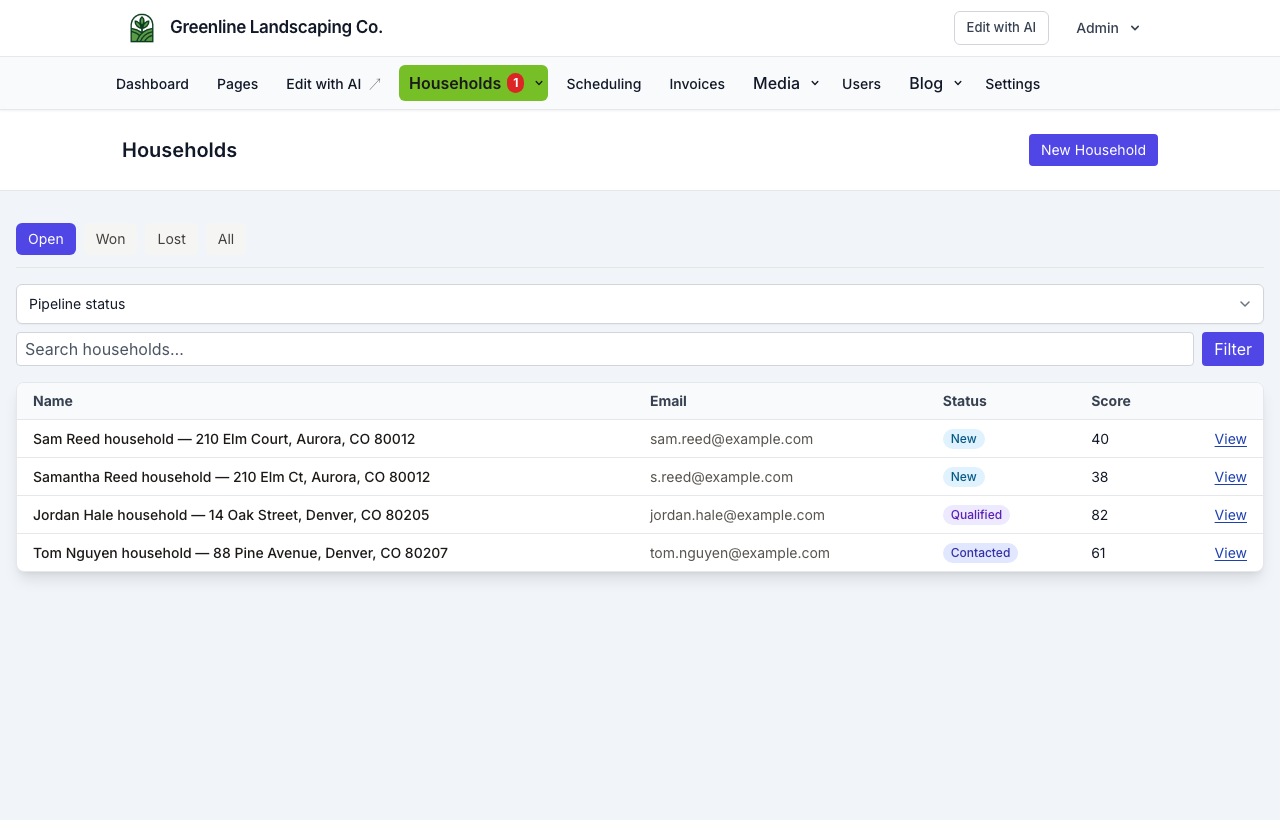
Landscaping demo: Households. Address-first matching so two houses that share a bookkeeper stay two jobs.
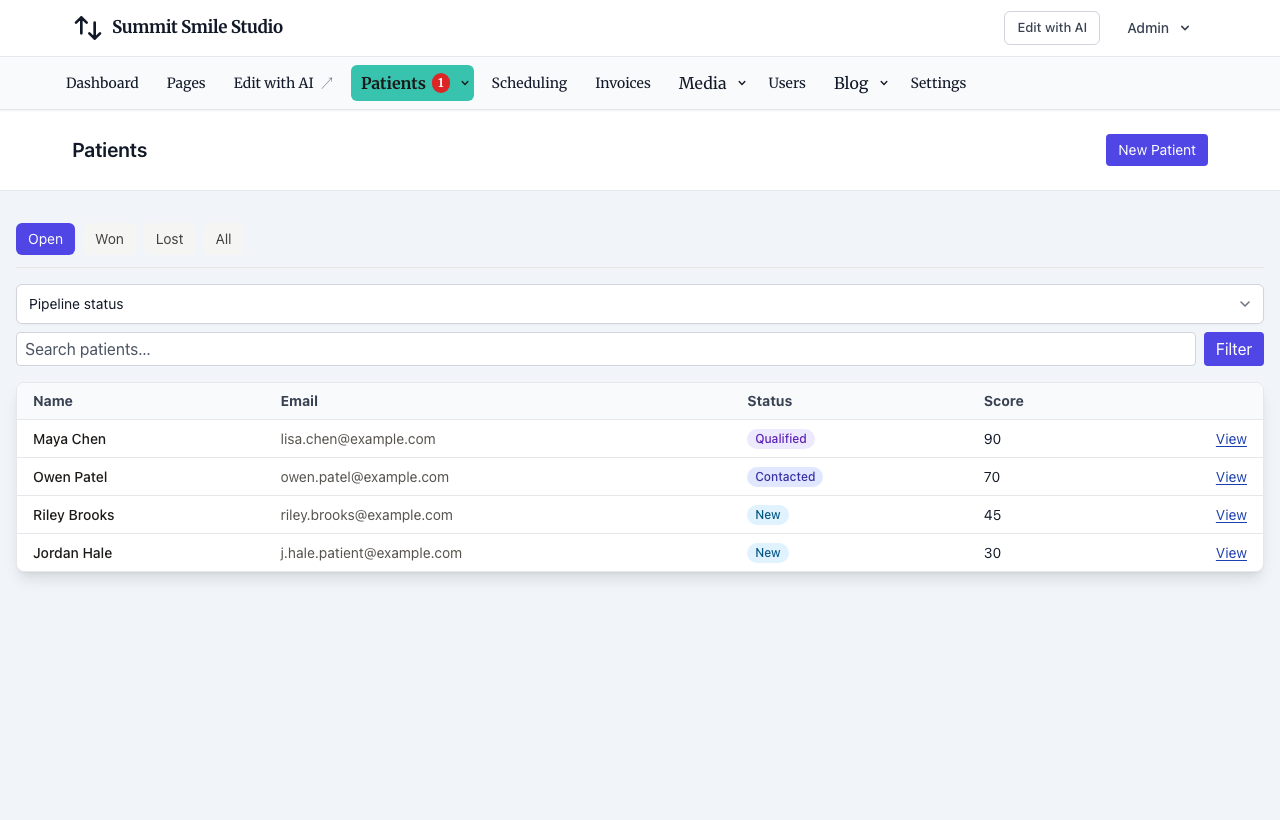
Dental demo: Patients. The patient is the record; a guardian can be an extra contact.
Optional: preschool demo Students and agency demo Leads.


Invoices, Deals, Services, Appointments, and Staff keep those product names. Pair them with the record (“invoice this patient”). Hide the Deal card in CRM Settings when a pipeline does not fit (dental, preschool, and restaurant demos do this). Restaurant Orders are POS tickets — not renamed invoices. See Toast and Omnivore POS.
Optional website logins let the people on those records sign in on the public site. See Website logins.
Always one primary contact
Every record has exactly one primary contact. Extra people (guardian, spouse, billing, parent) are additional contacts with their own emails, phones, and roles.
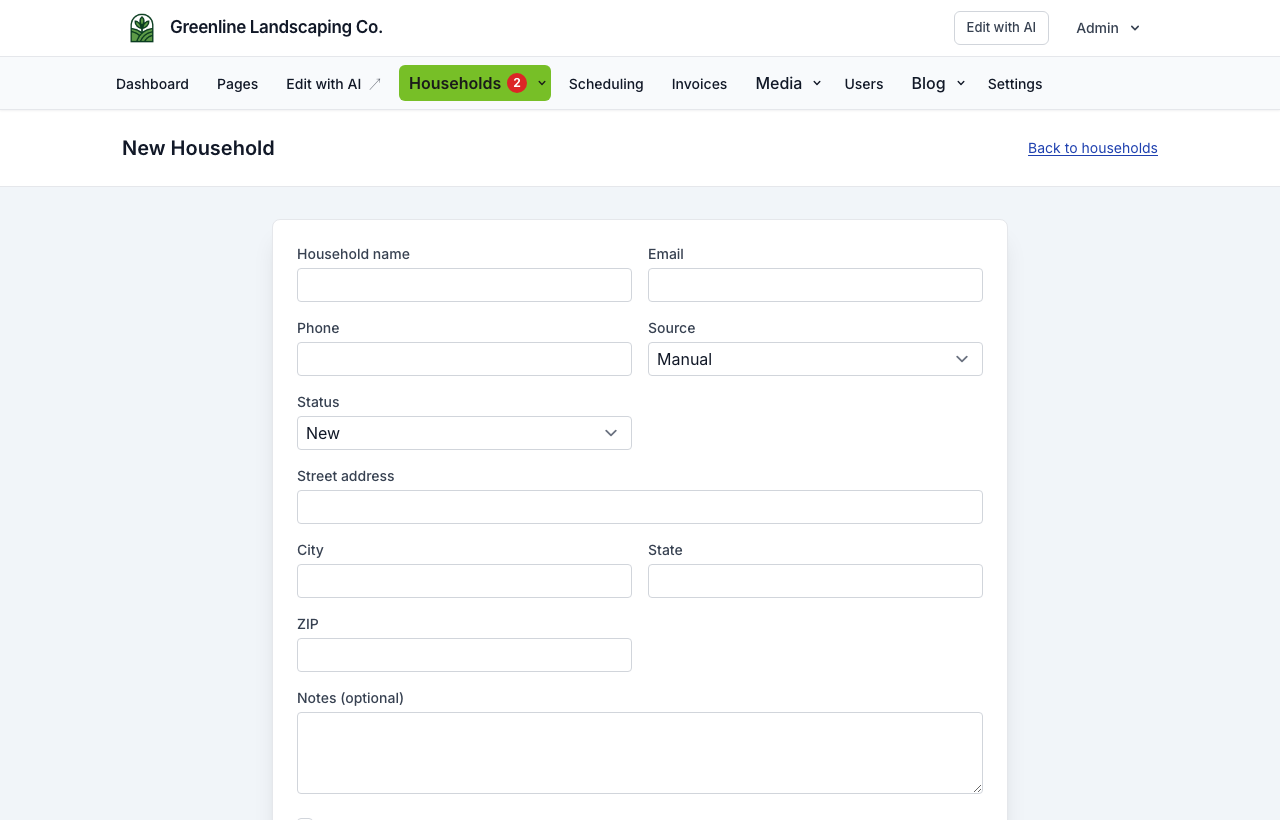
Greetings ({{first_name}}) use the primary person. Record tokens ({{name}}) use the record title — for a household that is often the address or “Jordan Hale household — 14 Oak Street”.
Matching (two houses, one bookkeeper)
Person records match on contact email/phone.
Household / place records match service address first when an address is present. Two houses that share a bookkeeper email stay two jobs. That is intentional: we do not create a second global person. The extra cost is a small contact row on each household (name, email, preferences). Merge is the escape hatch if address matching misses.

The default send-to email and phone are copied onto the record (leads.email / leads.phone) so search, replies, and the NurtureSite inbox still work. Do not drop that copy.
Send audience (a send policy, not a data model)
Enrollment is per record (one nurture per household or student). Each email/SMS step can send to:
| Send to | Who gets the message |
|---|---|
| Primary | Only the primary contact. Right default for most household marketing. A pediatric patient with no email sends nothing unless you pick another option. |
| Send-to | Primary if they have that channel, otherwise guardian/billing. Right default for Patient reminders. |
| All contacts | Fan-out; each person keeps their own consent. Strong for school “email both parents.” Wrong default for household marketing. |
Provisioning sets the sequence default from the noun (Patient → send-to, Student → all contacts, Household → primary). You can override per sequence and per node. Do not default automations to all contacts. All contacts skips opted-out and unknown marketing and empty channels. It does not merge households. The shared bookkeeper still gets one email per record they are on.
See CRM automations.
Contact preferences
On each person: email / SMS / phone / mail × marketing vs transactional (on, off, or unknown).
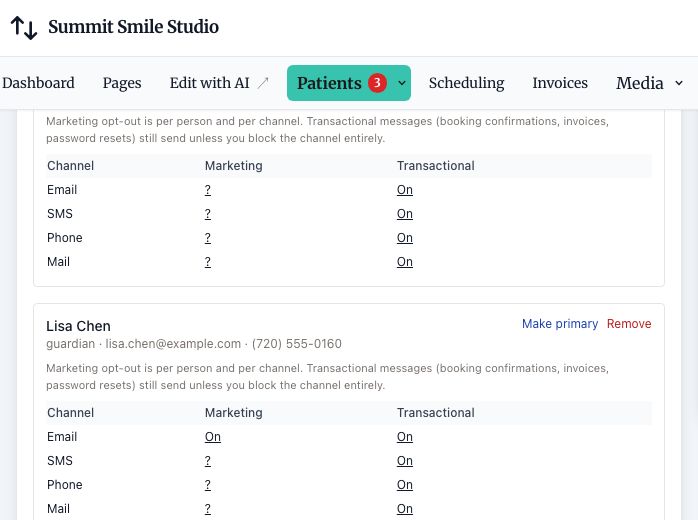
- Marketing sequences need an explicit opt-in for that person and channel
- Booking confirmations and invoices still send unless you opt that person out of transactional mail/SMS
- An unsubscribe link opts that person out of marketing email (and stops marketing enrollments), not invoices or appointment mail
- Manual enroll does not bypass a marketing opt-out
Settings
CRM Settings → Primary record — catalog or custom singular/plural, kind (person / household / place), contact roles.
CRM Settings → Lead page — show/hide Deal, Invoice, Notes, Documents.
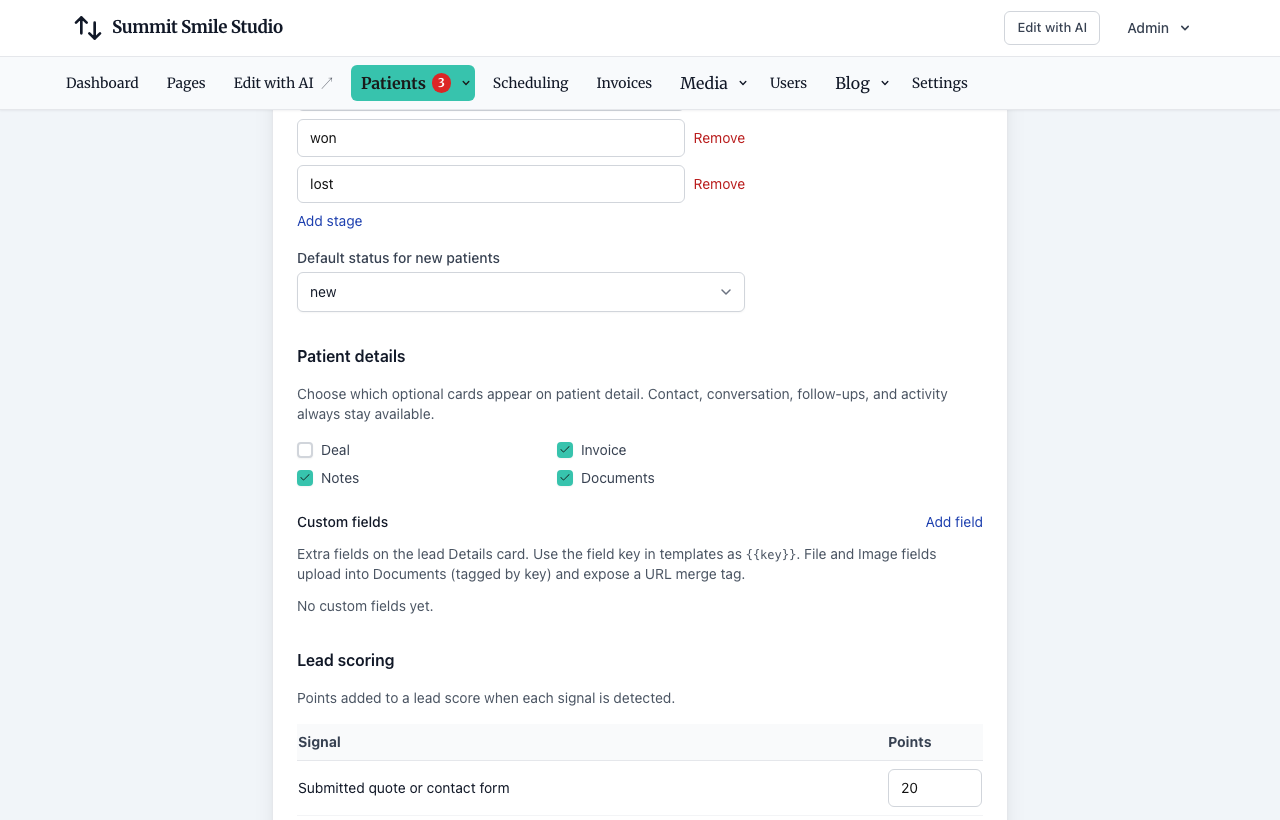
Patient also offers HIPAA mode from NurtureSite (never turned on automatically). CRM Patient is not an Open Dental patient id — match the primary Patient contact. See Open Dental.
Signed packages live on the record as private files (not public /storage URLs). Merge re-points envelopes onto the survivor. Documents → Request signature sends a document to one person on the record by email or text, with no booking needed; the same card shows each request’s status and lets you resend or cancel it. Automation request-signature steps map to a contact role, never all contacts. See Forms, waivers, and e-sign.
Related articles
- Site CRMNamed records (Customers, Patients, Households, Students, Leads), pipeline, tasks, alerts, invoices, and follow-up automations in site admin.
- CRM automationsVisual follow-up flows: triggers, email, conditions, webhooks, and testing.
- Visitor experienceForms, consent, optional AI chat agent, booking flow, unsubscribe, and website logins.
- Leads vs bookingsWhen to use contact forms vs the booking scheduler.
- Open Dental integrationRead-only patient matching, appointment outcomes, data handling, and current rollout status.
- Forms, waivers, and e-signPrepare waivers and intake, collect signatures on your site, and keep signed PDFs on the CRM record—required at booking, sent after, or sent from the record any time.
- Website logins for the people you serveLet patients, guests, households, and other records sign in on your site for appointments, invoices, subscriptions, and preferences.