

Hair salon
We build your website for you. Customers book and pay on your domain—with analytics, lead follow-up, and SEO included.
Answer a few questions—we build your site. Customers book and pay a deposit on your domain. One $79/mo plan replaces the patchwork stack.
Website
The usual way
An agency quote, weeks of revisions, then booking bolted on later.
With NurtureSite
Tell us about the business. We generate the core pages. You review and publish.
Tell us about the business
Share what you sell, who you serve, and your current site if you have one.
We generate the core pages
Home, services, about, FAQ, contact, and blog—tuned for local service businesses.
You review and publish
Nothing goes live until you say so. Analytics and a cookie banner are already wired.
Built from what you tell us
AI editor
The usual way
Email a developer and wait for another revision round.
With NurtureSite
Describe the change. Preview it on the page. Publish or undo.
Describe the change
Ask for new copy, photos, or a page section in plain language.
Preview it live
See the update on your site beside the conversation before anything publishes.
Publish or undo
Keep the change, or reverse the last edit with one click.
Metro landscaping
Spring cleanups & seasonal planting
Beds, mulch, and irrigation tune-ups before summer heat.
Get a spring quoteBooking
The usual way
A Calendly tab that does not know your site or your payments.
With NurtureSite
Customers pick a service or class, a time, and optional staff on your website.
Pick a service or class
One-on-one appointments or group sessions with spots left and party size.
Choose staff and time
Hours, staff, and remaining seats show on your site—not a third-party tab.
Confirm on your domain
The booking stays on your website, then on the same CRM record.
Example UI shown on your live website — not a working form here.
Calendar
The usual way
Type the same appointment into Google Calendar or Outlook again.
With NurtureSite
Connect once. Busy times block double-booking. New appointments write back.
Connect Google or Outlook
Each staff member connects the calendar they already work from.
Busy times block double-booking
We read busy times from the calendars you choose so a slot is not offered twice.
New appointments write back
A confirmed booking shows up on that calendar with the customer details you need.
Booking confirmed
Color & cut
Google Calendar
Outlook
Payments
The usual way
Hope they show up, then chase payment after the visit.
With NurtureSite
A deposit confirms the slot. Stripe Checkout on your domain. Funds go to your connected account.
You set the deposit
Fixed dollar or percent per service. Group bookings multiply by party size.
They pay at checkout
Stripe Checkout on your domain, after any required waiver is signed.
Money lands in your Stripe
Connect once. NurtureSite takes no cut of deposits or invoices.
Example UI shown on your live website — not a working form here.
Services & deposits
Stripe connectedDeposits go to your connected Stripe account — NurtureSite does not hold booking revenue.
Forms
The usual way
A PDF emailed back and forth, then filed by hand.
With NurtureSite
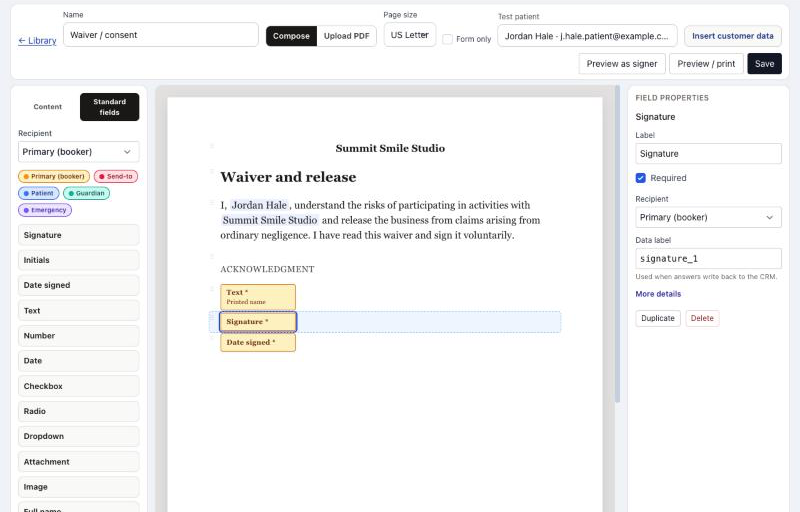
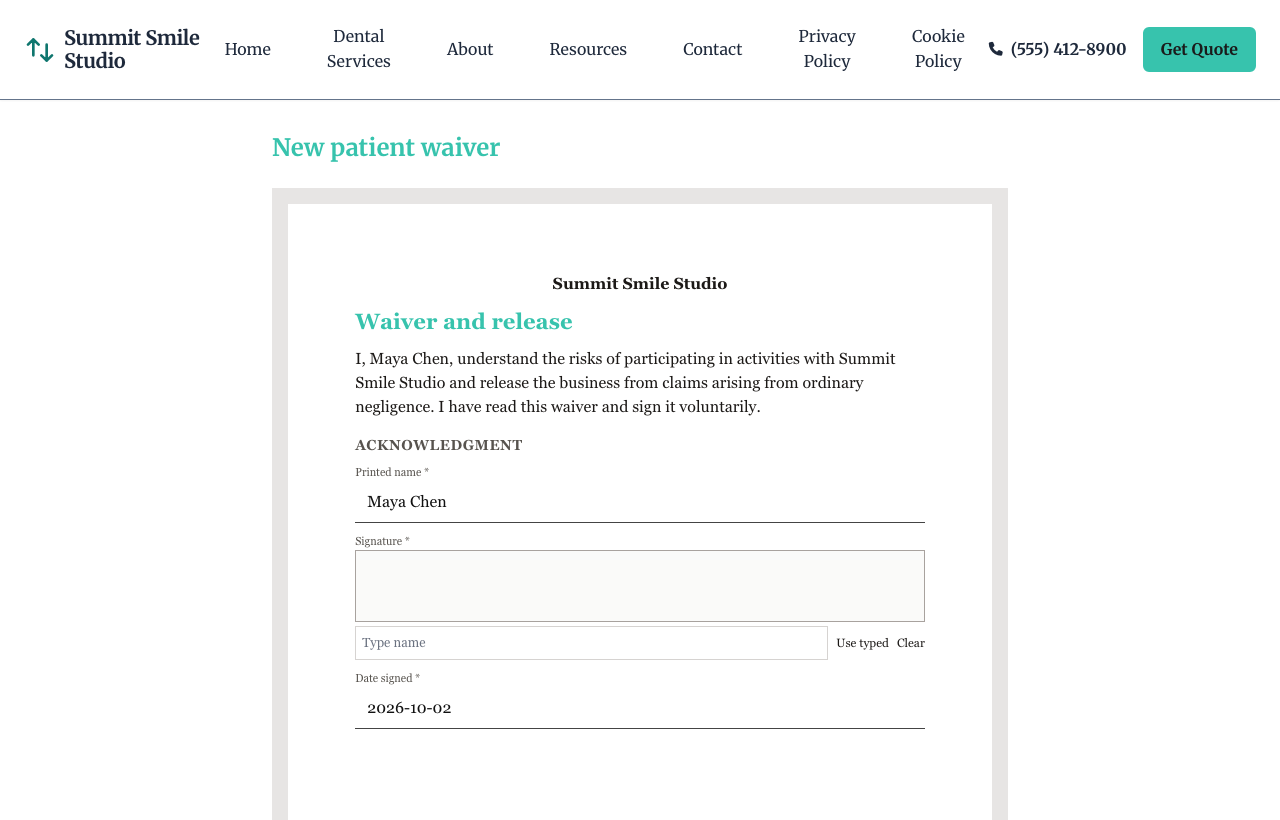
They sign on your site. The PDF files itself on their record, with or without a booking.
Write or upload the form
Place a signature on a letter you write, or on a PDF you already use.
Send it when it fits
Require it when they book, send it once the visit is confirmed, or send it from their record any time.
It stays on their record
The customer, a parent, or the homeowner signs. The PDF and certificate stay on the record.
CRM
The usual way
A generic lead list, then a spreadsheet for details that list cannot hold.
With NurtureSite
One named model. The list, the detail page, and follow-up all use it.
Pick the noun
Leads, patients, households, students, properties, or a custom name.
Choose the kind and roles
Person, household, or place. Guardian, spouse, billing—roles that match the work.
Add fields and hide the rest
Add custom fields such as lot size or gate code. Hide Deal when a pipeline does not fit.
Primary record
What you call them
Kind: household
Contact roles
Custom fields
Lead page
This household
14 Oak Street
Jordan Hale household
People
Jordan Hale
Homeowner · Primary
Priya Hale
Spouse
Details
Inbox
The usual way
An email that does not say which ad or page sent them.
With NurtureSite
The inquiry shows the traffic source, landing page, and visitor path.
They fill a form on your site
Contact forms on the pages that already convert for you.
You get an alert
A new inquiry shows up in the dashboard and in your inbox.
Source and landing page are on it
See which campaign and page sent them before you call back.
Sarah M.
Quote request — pool installation
Submitted 2 minutes ago
Attribution
Visitor journey
Follow-up
The usual way
A separate email tool that blasts the whole list.
With NurtureSite
Follow-up enrolls per person, with their consent, on the same CRM record.
Enroll the primary contact
Welcome the person who should hear from you—not everyone on the household.
Wait or branch
Delays, conditions, tasks, and team alerts sit on the same visual flow.
Test before it sends
Run the automation against a real record. Marketing consent is checked per person.

Invoices
The usual way
A second billing tool after the deposit.
With NurtureSite
Invoice remaining work from the CRM record. Customers pay with Stripe to your account.
Add line items
Invoice the remaining balance after a deposit, or bill one-off work.
Email a pay link and PDF
The customer pays with Stripe. You can download the PDF anytime.
Optional thank-you when they pay
Trigger a follow-up when an invoice is sent or paid.
Customer invoices
Stripe ConnectINV-00042
Jordan Lee
INV-00041
Riverstone HOA
INV-00040
Sam Patel
Email a pay link for the balance after a booking, or to bill a lead for custom work. Funds settle to your connected Stripe account.
SEO blog
The usual way
Guess topics and hope they match what people search.
With NurtureSite
Drafts come from searches you already rank for. Every post stays a draft until you say so.
Connect Search Console
One OAuth click in website admin. We read query data. We never publish without you.
Weekly draft from a real query
Pick a day. We draft from a top ranking opportunity each week.
You approve every publish
Edit, schedule, or skip. Email when a draft is ready.
Google Search Console
Connect Google Search ConsoleConnected · your verified property
Analytics
The usual way
A separate analytics subscription that never ties a visit to a lead.
With NurtureSite
First-party visitors, conversion funnel, and the source on every inquiry—in data you own.
Visitors and funnel in your account
Sessions, bounce rate, and the path from visit to form submit.
Source on each inquiry
See which ads and pages drive form fills, bookings, and phone taps.
Cookie banner included
Consent, privacy, and cookie policy pages ship on every website.
Visitors
1,284
+12%
Conversion rate
4.2%
+0.8%
Avg. time on website
2m 41s
-6s
Traffic sources
Conversion funnel
Trust
Records, analytics, and website content belong to your account.
Your website and dashboard use HTTPS. Form submissions travel securely to your account.
Website-to-account sync uses signed webhooks so leads are not tampered with in transit.
First-party traffic and conversion data stays in your NurtureSite account — not rented from a third-party analytics vendor.
Every website ships with a cookie banner, privacy policy, and cookie policy pages. Visitors choose analytics and marketing cookies.
Plain-language terms on what we collect and how leads flow into your dashboard.
Read privacy policy →Live examples
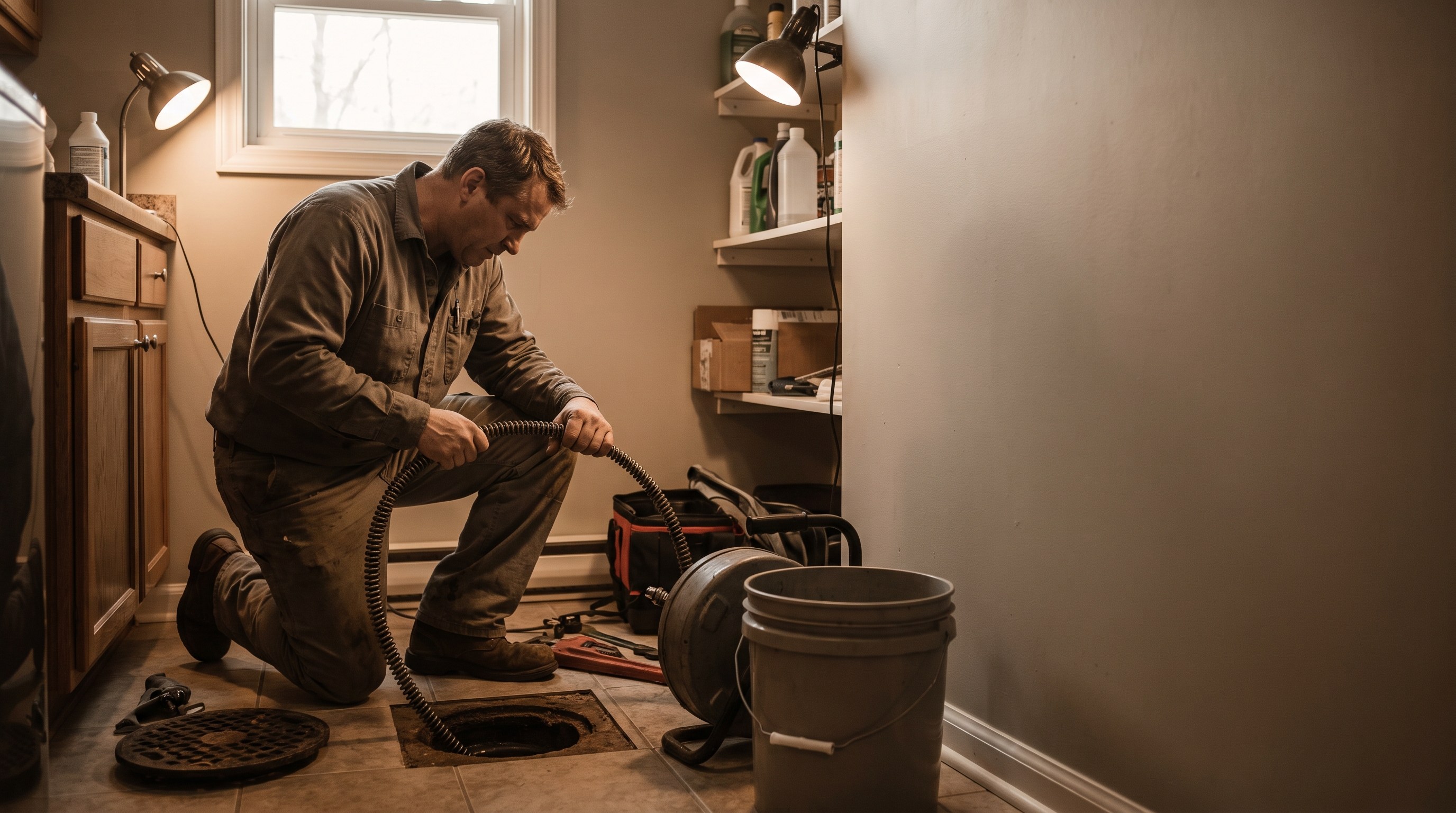
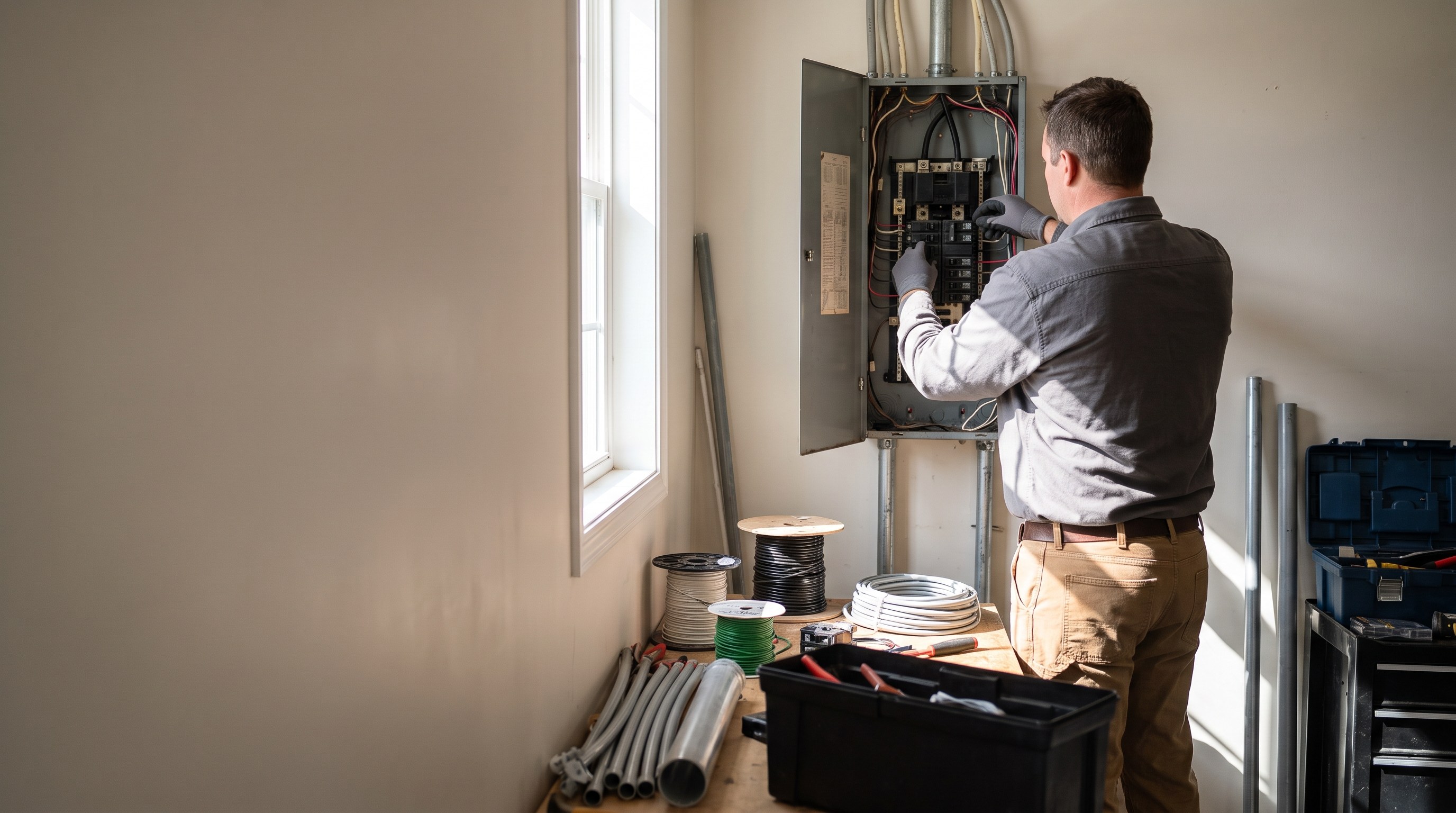
Industry-tuned websites with hero banners, service grids, contact forms, booking, and blogs.
Every website is built for the business—not picked from a template library. Preview real demos, then launch your own custom build.
Hair salon

Nail salon

Legal

Real estate

Agency

Dental

Medical clinic

Photography

Restaurant

Landscaping

HVAC
Plumbing

Roofing
Electrical

Pool & spa

General contractor

Fitness
Monthly tools add up—and a new website from an agency or freelancer often runs $500–5,000+ before you even launch.
| Feature | Typical patchwork | NurtureSite |
|---|---|---|
| Website design & build | Freelancer, agency, or DIY in a builder$500–5,000+ upfront | Custom website built from your business info Included |
| Hosting & platform | Squarespace, Wix, or WordPress$29–36/mo | Website, admin, and updates included $79/mo all-inall-in platform fee |
| Lead capture | Typeform, Mailchimp, or form add-on$13–29/mo | Built-in website CRM + inbox Included |
| CRM & follow-up automations | Pipedrive, Zoho, or similar CRM$20–45/mo | Visual flows in website admin Included |
| Online scheduling | Calendly or Acuity Scheduling$10–16/mo | Booking block on your website Included |
| Collect payment at booking | Stripe + invoicing or payment links$0–20/mo | Stripe deposit checkout built in Included |
| Forms & e-sign | DocuSign, paper, or Jotform$15–45/mo | Sign on your site, kept on the customer record—at booking or sent from the record any time. Included, no per-signature fee. Not identity verification or notary. Included |
| Website logins | Patient portal, membership app, or separate client login$20–80/mo | Sign-in on your website for appointments, invoices, and preferences. Not a medical chart or imaging portal. Included |
| Analytics | Plausible, Fathom, or GA setup service$9–19/mo | First-party analytics built in Included |
| Cookie compliance | Cookiebot or Termly$10–15/mo | Banner + policies on every deploy Included |
| Blog & content | Jasper, Surfer, or freelance writer$19–49/mo | Blog and SEO content tools in your dashboard Included |
| Time to launch | Days or weeks across tools | 15–45 minutes |
Estimated cost to launch & run
Typical patchwork
$100–200/mo
+ $500–5,000+ to build the website
Separate subscriptions for hosting, forms, DocuSign, CRM, scheduling, analytics, cookie banner, and content—nothing talks to each other
NurtureSite
$79/mo all-in
Site build included · 14-day free trial
Every feature above in one platform—about 2–4× less than stacking tools, with no agency invoice to launch
Patchwork assumes a paid SaaS tool for each capability at low-to-mid list pricing (~2–4× NurtureSite all-in).
Website build range reflects typical freelancer/agency quotes.
Your stack may vary.
Tell us about your business. We build your website, booking, lead follow-up, and SEO setup. You review and publish when ready. No coding or tech experience needed.
Prefer to talk? NurtureSite Help answers live at