
Booking & payments
Stripe Connect, deposits, and invoices
Collect appointment deposits, send customer invoices, and receive payouts.
Get paid when customers book—not days later over the phone. NurtureSite wires Stripe Checkout into your booking flow so deposits are collected before the appointment is confirmed.
The same Stripe Connect account also powers customer invoices from your site admin (appointment balance due or ad-hoc invoices from CRM leads).
Money goes to your connected Stripe business account. NurtureSite does not hold booking or invoice revenue; platform billing (your NurtureSite subscription) is a separate Stripe relationship.
How it works
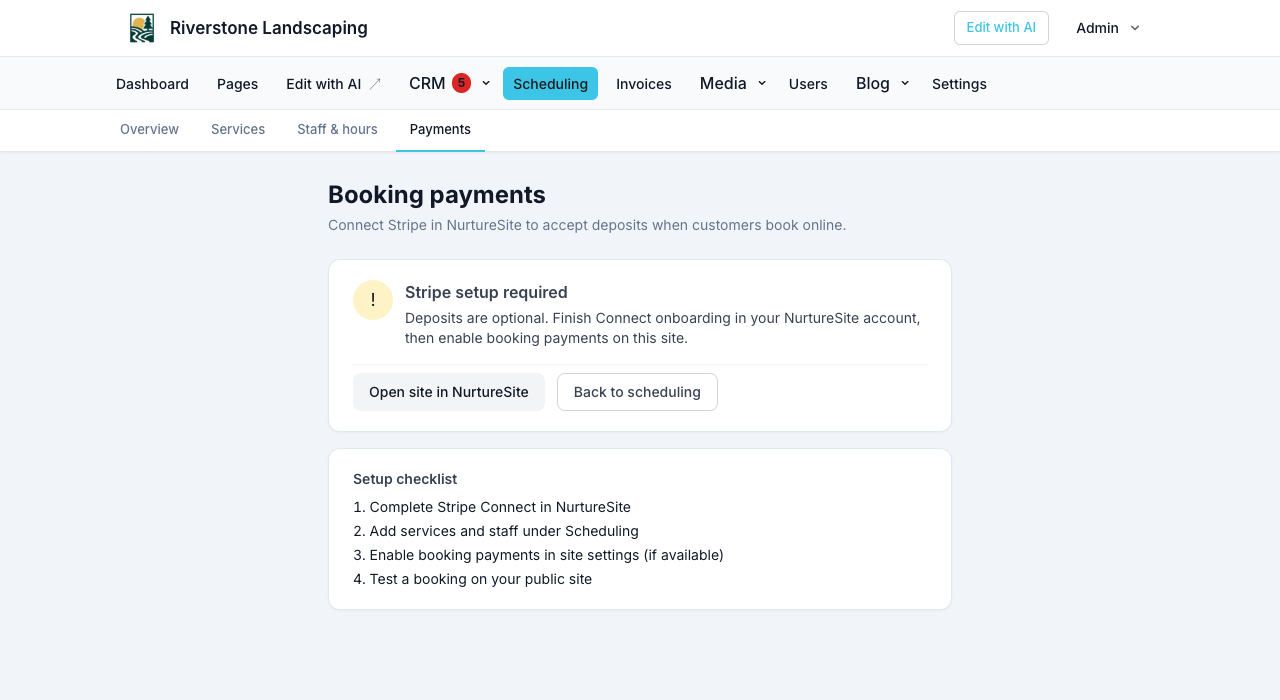
- You complete Stripe Connect onboarding from NurtureSite (site page) or site admin → Scheduling → Payments.
- You define deposit rules on each service (fixed amount or percentage) in site admin.
- A customer books and pays at Stripe Checkout.
- You can also book a time in site admin → Scheduling and email a deposit link. The appointment stays unconfirmed until they pay.
- NurtureSite confirms payment and marks the appointment confirmed on your site.
Customer invoices
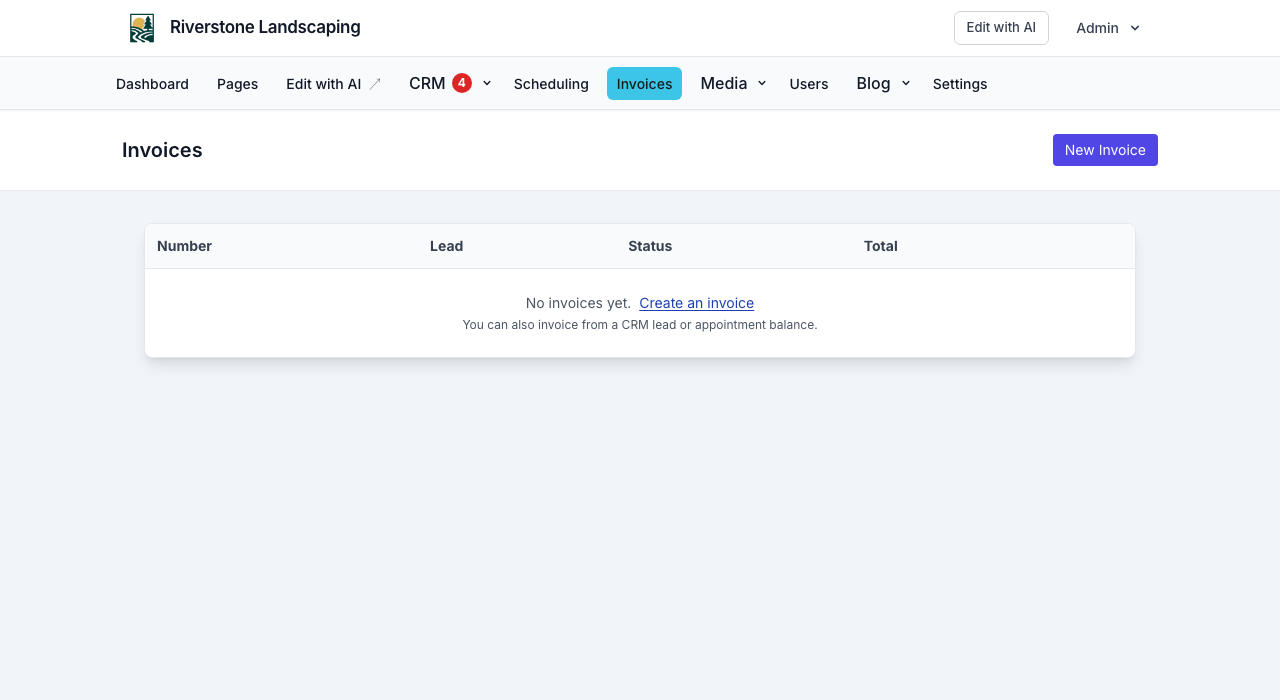
After Connect is ready, send pay links for:
- Appointment balance — remaining amount after deposits (service price must be set).
- CRM lead — ad-hoc line items from a lead with an email.
- New Invoice — from site admin → Invoices → New Invoice, pick a lead or enter a new customer.
Customers pay at /pay/invoice/{token} via Stripe Checkout. When website logins are on, they can also pay and manage a subscription from Account on your site. Full walkthrough: Customer invoices and Website logins.
Start Connect onboarding
From your NurtureSite site page:
- Click Complete Stripe setup when shown, or
- Open scheduling payments from site admin and follow the Connect link.
After onboarding, booking_payments_enabled is pushed to your site automatically (for deposits). Invoice checkout uses the same Connect account.
Without deposits
Booking works without Connect. Appointments confirm immediately when no deposit is required. Invoices require Connect so customers can pay online.
Unpaid holds
If a customer abandons Checkout, the appointment may sit in pending payment until the hold expires.
If the service has required document packages, the slot stays held until signed first — Stripe Checkout does not start until those envelopes complete. Signing uses a longer hold (max(slot hold minutes, 30), cap 60 minutes from create). See Forms, waivers, and e-sign.
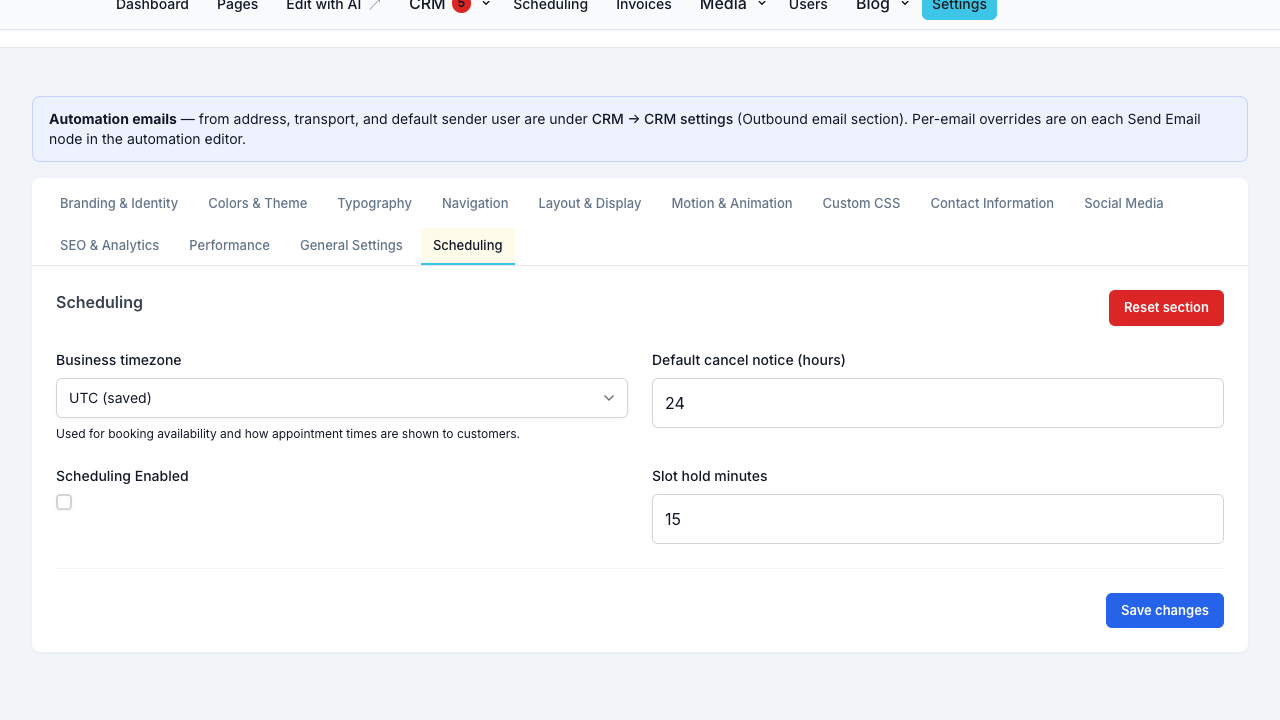
Configure the public checkout hold in site admin → Settings → Scheduling as Slot hold minutes (default 15). That is how long seats stay reserved while the customer is on Stripe Checkout (party size for group bookings; the whole exclusive slot for one-on-one).
Admin Collect deposit by email holds those seats longer (default 48 hours, or until the appointment starts) so the customer has time to open the email.
See also Site settings, Online booking setup, and Forms, waivers, and e-sign.
Troubleshooting
| Issue | What to check |
|---|---|
| Deposits not offered | Connect complete? Service has deposit configured? |
| Balance invoice disabled | Service price set? Deposit already covers full price? Connect ready? |
| Payment stuck pending | Customer completed Checkout? Check /book/complete or /pay/invoice/.../complete |
| No confirmation email | Mail configured on site; check queues |
Payouts
Stripe pays out to your connected business bank account per Stripe’s schedule. NurtureSite does not hold deposit or invoice funds.
Platform subscription vs Connect
| Payment | Purpose |
|---|---|
| NurtureSite Billing (Stripe Customer Portal) | Your SaaS subscription |
| Stripe Connect Checkout | Customer deposits, invoices, and website-login subscriptions |
Never confuse the two when reviewing Stripe dashboards.
Related articles
- Customer invoicesInvoice appointment balances and CRM leads; pay links, PDFs, and automations.
- Scheduling overviewUpcoming appointments and Stripe Connect in NurtureSite.
- Online booking setupServices, staff, hours, timezone, payments, and the booking block.
- Managing appointmentsView, cancel, invoice balances, confirmation emails, and customer manage links.
- Forms, waivers, and e-signPrepare waivers and intake, collect signatures on your site, and keep signed PDFs on the CRM record—required at booking, sent after, or sent from the record any time.
- Site CRMNamed records (Customers, Patients, Households, Students, Leads), pipeline, tasks, alerts, invoices, and follow-up automations in site admin.
- Website logins for the people you serveLet patients, guests, households, and other records sign in on your site for appointments, invoices, subscriptions, and preferences.