
Leads & CRM
Leads inbox
Portfolio form submissions across sites; site admin uses Customers, Patients, Households, Students, or Leads.
Contact forms, quote forms, and related submissions appear in NurtureSite and in site admin.
The portfolio inbox on NurtureSite still says leads — that is form submissions across your sites. In site admin → CRM the list uses the business noun (Customers, Patients, Households, Students, Leads, Guests, …). Factory sales CRM still uses Customer / Contact / Lead for NurtureSite accounts and is not renamed. See CRM records and NurtureSite vs site admin.
Where they appear
- NurtureSite dashboard — Recent leads across all sites (with attribution).
- Site detail — Leads tied to one project.
- Site admin → CRM — Full record management when CRM is enabled (pipeline, scoring, tasks, automations). Chrome matches the demo: Households on landscaping, Patients on dental.

Full pipeline management lives in site admin:
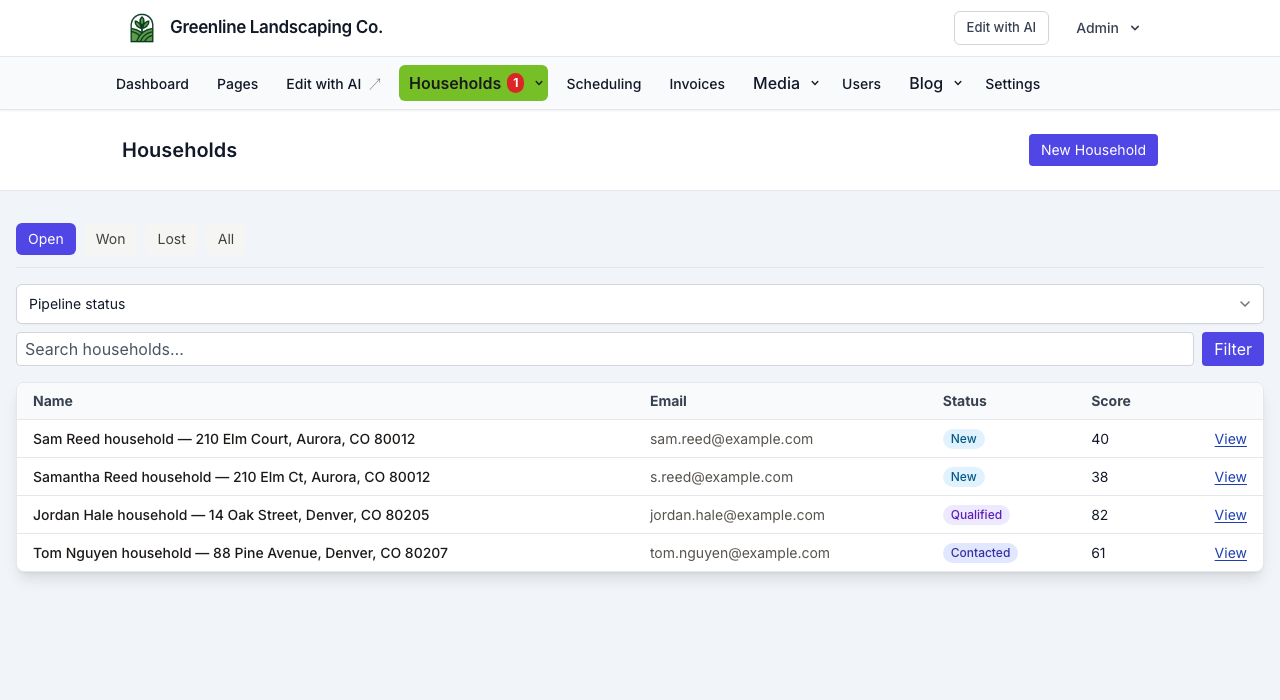
For day-to-day pipeline work, see Site CRM.
Email alerts
You receive email when a new record is submitted. Set or update the notification address:
- In site admin → CRM → Settings (admin role), or
- Via the notification email field on your NurtureSite site page (synced to the live site).
This is separate from outbound email settings used by CRM automations. See CRM outbound email.
Attribution on each lead
NurtureSite stores marketing context when available:
- Traffic source / UTM parameters
- Landing page URL
- Referrer
Use this to see which campaigns drive inquiries. For pipeline, scoring, tasks, and follow-up automations, use Site CRM in site admin.
Automation replies appear on the record detail page in site admin when outbound Mailgun is configured. The NurtureSite portfolio inbox shows cross-site form leads.
Multi-site inbox
Growth and Pro plans show leads from every site in one dashboard view. Click through to the site for details.
Leads vs appointments
Form submissions create CRM records. Confirmed bookings use the scheduling engine and attach to the same record (email/phone, or service address for households). See Leads vs bookings.
Related articles
- Leads vs bookingsWhen to use contact forms vs the booking scheduler.
- Site CRMNamed records (Customers, Patients, Households, Students, Leads), pipeline, tasks, alerts, invoices, and follow-up automations in site admin.
- CRM recordsName the list Customers, Patients, Households, Students, or Leads; primary contact, matching, consent, and send audience.