
Leads & CRM
CRM outbound email
Platform or BYO Mailgun, DNS verification, and automation senders.
Configure how automation and nurture emails leave your site. This is separate from notification email (alerts when a form is submitted) and from your custom site domain (visitor traffic).
Marketing sequences need an explicit marketing opt-in for that person and channel. Transactional invoice and appointment mail still send unless that person opted out of transactional email. Compose and automation tests can block when marketing is opted out.
Where to configure
| Location | What you can do |
|---|---|
| NurtureSite site page → Outbound email | Choose platform or BYO Mailgun, see the assigned sending domain, confirm verification |
| Site admin → CRM → Settings | Outbound transport, sender, automation health, BYO Mailgun DNS verify |
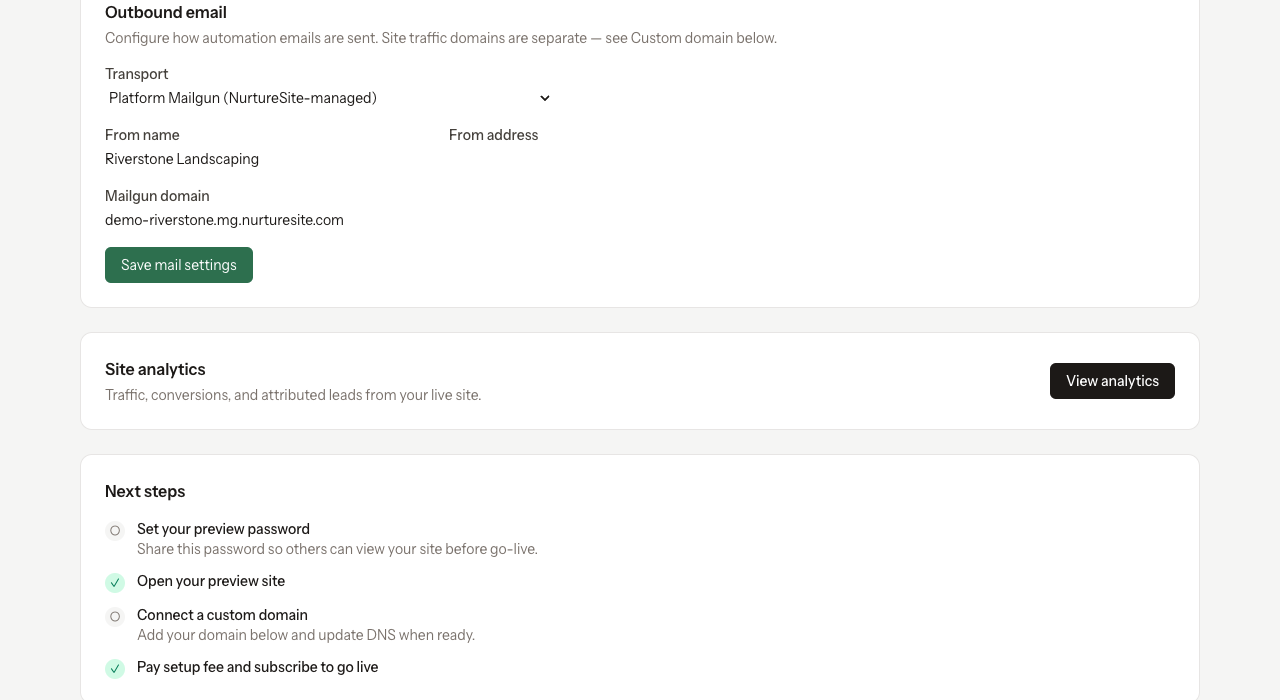
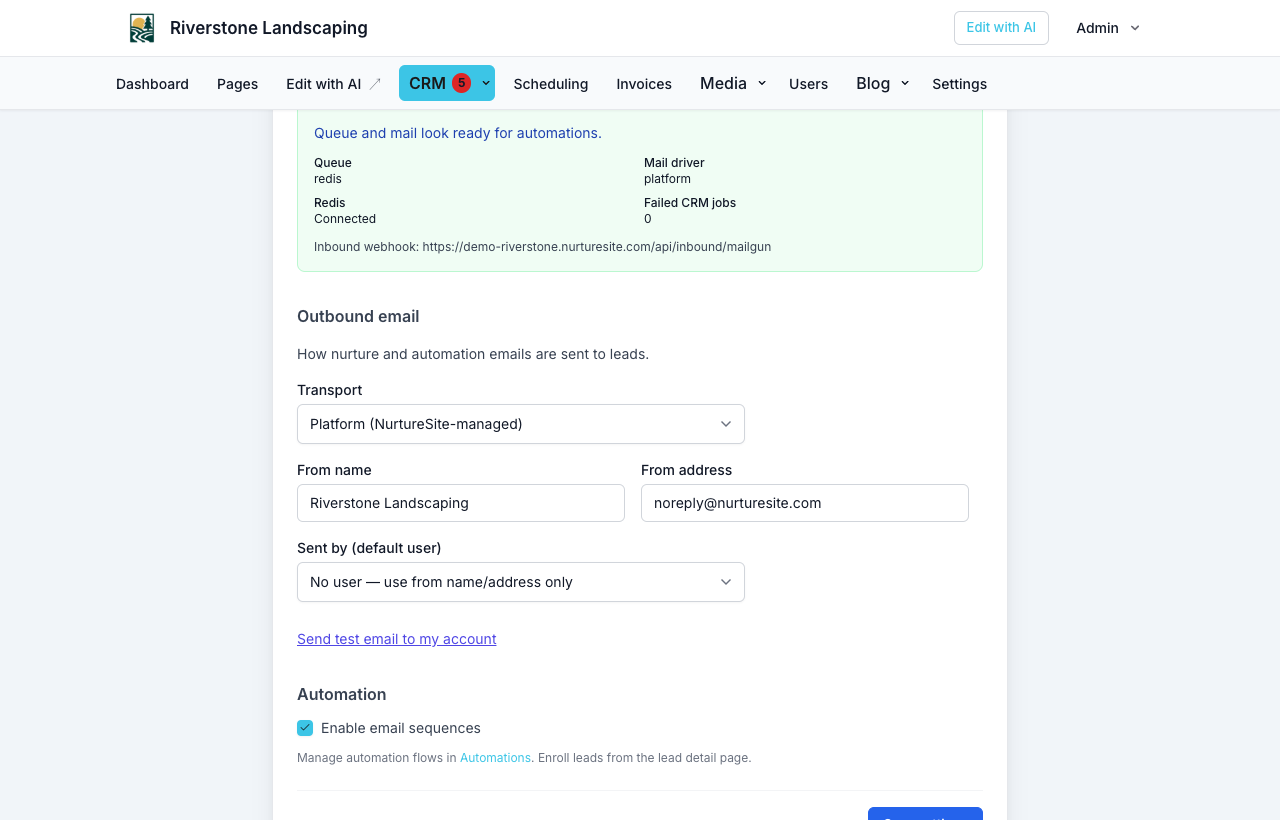
Changes on the live site sync metadata back to NurtureSite (no API secrets). Factory-pushed defaults apply on first deploy; site overrides are preserved.
Transport options
Platform Mailgun (recommended)
NurtureSite sends platform mail from the shared mg.nurturesite.com domain. That is not the same as your public site URL (your-site.nurturesite.com). You do not add DNS records.
The From address is rewritten onto that sending domain (for example hello@yourbusiness.com becomes hello@mg.nurturesite.com). The display name can still be your business name. Dedicated per-site sending domains can be added later if a site needs isolated sending.
Bring your own Mailgun
Enter your Mailgun domain and API key in site admin or the NurtureSite portal. Add the SPF/DKIM/MX records Mailgun shows, then verify. See Mailgun’s domain docs if you need help locating your domain or DNS records.
Custom SMTP
Available in site admin → CRM → Settings. Replies go to the configured Reply-To address; inbound reply routing to the CRM is not available on SMTP-only setups.
DNS verification
Platform Mailgun: NurtureSite already publishes SPF, DKIM, MX, and DMARC for mg.nurturesite.com. Sending works as soon as the site uses platform mail.
Bring your own Mailgun: after saving your domain:
- Copy each sending and receiving DNS record from the wizard.
- Add them at your DNS provider (or Mailgun's DNS if you use their nameservers).
- Click Verify Mailgun domain — propagation can take up to an hour.
Your site traffic domain (CNAME to NurtureSite) is unrelated to Mailgun sending DNS. See Custom domains.
Inbound replies
When using platform or Mailgun transport, automation emails use a routable Reply-To on your Mailgun receiving domain. Replies appear in:
- Site admin → CRM — reply thread on the record detail page
- NurtureSite sales inbox — for prospect/outreach mail on the factory CRM (staff only)
Reply detection in automation conditions works when Mailgun inbound routing is verified.
Automation health
CRM → Settings shows queue and mail status. Automations require:
- Redis reachable (
QUEUE_CONNECTION=redison the site) - Queue worker listening on
defaultandcrmqueues - Scheduler running (
ProcessLeadAutomationsevery 5 minutes) - Outbound mail configured and verified
Related articles
- CRM automationsVisual follow-up flows: triggers, email, conditions, webhooks, and testing.
- Site CRMNamed records (Customers, Patients, Households, Students, Leads), pipeline, tasks, alerts, invoices, and follow-up automations in site admin.
- CRM outbound SMSConnect your Twilio account to text leads from Conversations and automations.
- Custom domainsConnect your domain and DNS instructions.