
Booking & payments
Booking waitlists
Per-service waitlists, offer-to-claim holds, class email, and booking amendments.
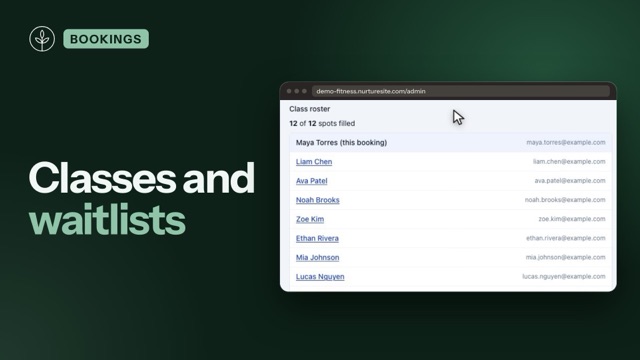
Turn on a waitlist per service so visitors can join a queue when a time is full. When someone cancels (or an offer expires), we email the next person a timed hold. They confirm—and pay a deposit only if that service requires one. We never auto-confirm or surprise-charge.
This is not the same as preschool/education enrollment waitlists on contact forms. Booking waitlists are for a specific service + staff calendar + start time.
Turn it on
Site admin → Scheduling → Services
- Toggle Waitlist on any one-on-one or group/class service.
- Optional Max waitlist size (1–50). Leave blank for unlimited (capped at 50).
Waitlists stay off unless you (or site setup from your brief) turn them on. Gyms often want them on group classes; salons usually leave them off except for fill-in services.
How visitors join
When remaining seats are fewer than the party size and the waitlist is on, the booking widget keeps the time visible as Join waitlist. Full classes no longer disappear.
- Joining is free. Deposits are not charged to join.
- Party size cannot exceed the service capacity.
- One active waitlist row per email for that service + staff + start time.
- Waitlist join has no package. Required waivers start when promotion creates a held appointment. See Forms, waivers, and e-sign.
They get a waitlist_joined email with a link to leave the list (/book/waitlist/{token}).
Offer to claim
When a seat opens (cancel, smaller party, expired hold, or you skip someone):
- The next queued person (FIFO, party size must fit remaining seats) gets a held or pending payment appointment.
- Occupancy counts that hold so two people are not offered the last seat.
- They get
waitlist_offerwith a claim link. The hold lasts a few hours (default 4, never past class start). - If they claim in time: confirmed (or deposit Checkout when the service requires a deposit).
- If they miss it:
waitlist_expired, the hold is released, and we offer the next person.
Salons and 1:1
Capacity is 1, so a waitlist is “this Friday 2pm with Alex.” Two technicians at 2pm are two queues. Turn waitlists on only for services you want to backfill (for example fills, not a 90-minute color).
Admin queue
Open a booking for that class or slot. You can see who is waiting, offer now, skip, or remove.
Cancel, class message, and amendments
- Canceling a confirmed booking runs the refund policy (Stripe refund when Connect is ready) and then promotes the waitlist.
- Email class sends a
session_updateto the roster (optional: include the waitlist). - Cancel this class time cancels each attendee, refunds per policy, and expires the waitlist.
- Move this class reschedules each attendee after a payment preview (usually $0 if the service stays the same).
- Appointment detail can change service, staff, time, or party size with a due / refund preview before save.
Edit all of these emails under Scheduling → Email templates (waitlist_*, appointment_rescheduled, session_update, booking_changed). Turning is_active off stops that send. Saved owner copy is never overwritten by later setup.
Related articles
- Group and class bookingsCapacity, class times, party size, and remaining spots on the widget.
- Managing appointmentsView, cancel, invoice balances, confirmation emails, and customer manage links.
- Online booking setupServices, staff, hours, timezone, payments, and the booking block.
- Scheduling overviewUpcoming appointments and Stripe Connect in NurtureSite.
- Forms, waivers, and e-signPrepare waivers and intake, collect signatures on your site, and keep signed PDFs on the CRM record—required at booking, sent after, or sent from the record any time.
- Limitations and roadmapFeatures not yet available and known gaps. See /changelog for the public product roadmap.