
Leads & bookings
Maximize Bookings with On-Domain Scheduling and Deposits
Discover how booking on your own domain, clear service menus, and deposit systems can enhance your service business's efficiency and reduce no-shows.
By AJ Herold · June 7, 2026 · 5 min read
Updated October 16, 2026
How this was written: drafted with AI assistance from NurtureSite's product documentation and Search Console data, then checked against the sources linked above and published under the editorial responsibility of AJ Herold. Spotted an error? Email sales@mg.nurturesite.com.
Booking on Your Own Domain vs Calendly Redirects
Booking directly on your own domain offers a seamless experience for your customers, keeping them engaged on your site throughout the booking process. Unlike platforms like Calendly, which often redirect users away from your domain, NurtureSite allows you to embed booking systems directly into your website. This not only maintains your branding but also enhances user experience by minimizing friction during the booking process.
Embedding scheduling tools directly into your site can significantly improve conversion rates. According to Calendly, using inline or pop-up widgets keeps users on your site, which can lead to higher booking rates. Furthermore, embedding allows for better integration with your site's analytics, enabling you to track user engagement more effectively. The Calendly Developer Documentation highlights how embedded tools can emit events that your site can listen to, allowing for enhanced tracking and analytics capabilities.
Redirecting users to third-party platforms can create barriers in the booking process, leading to potential drop-offs. When customers are redirected, they may feel less secure and less connected to your brand. By keeping the booking process on your own domain, you foster trust and improve customer retention.
Service Menus, Staff Hours, and Confirmation Emails
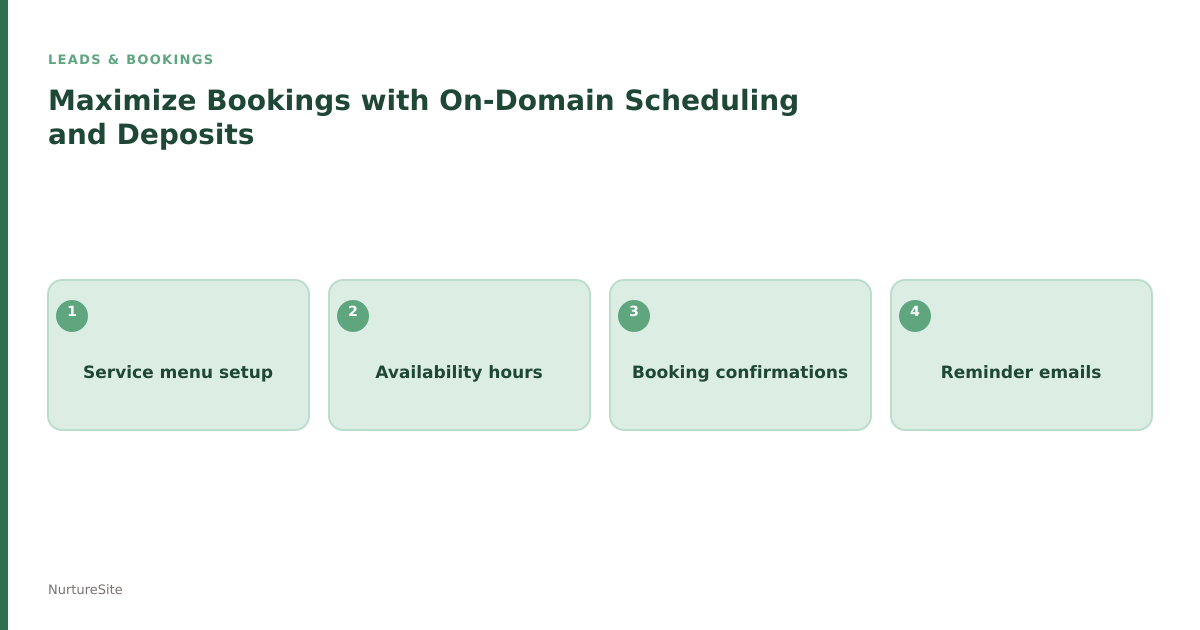
A well-structured service menu is crucial for any service-oriented business. It provides clarity to customers about what services are available, their durations, and associated costs. According to a New Business Scheduling Setup Checklist, having clear service menus, staff availability, and immediate confirmation emails is fundamental to a successful booking flow.
NurtureSite allows you to create detailed service menus that can be easily updated. This ensures that your customers always have access to the latest information about your offerings. Additionally, integrating staff hours into your booking system helps manage customer expectations regarding availability.
Confirmation emails serve as a vital touchpoint, reassuring customers that their appointments are secured. This not only reduces anxiety but also builds a professional image for your business. Automated confirmation emails can be set up through NurtureSite, ensuring that every booking is acknowledged promptly.
How Deposits Reduce No-Shows for Service Businesses
Implementing a deposit system can significantly mitigate no-shows, a common challenge for many service businesses. A PayRequest blog post discusses how pre-authorization deposits can dramatically reduce missed appointments, citing vendor reports of reductions between 60-80%.
Deposits act as a commitment device, encouraging customers to honor their bookings. When customers invest financially in their appointment, they are more likely to show up. Additionally, deposits can help cover any costs incurred by your business in preparation for the appointment, such as staffing or materials.
While some may argue against the necessity of deposits, a nuanced view presented by OpenCals suggests that reminders and follow-ups are equally important. However, combining reminders with a deposit system creates a robust strategy to minimize no-shows.
Why NurtureSite for This Problem
NurtureSite is designed specifically for local service businesses, offering a comprehensive solution that integrates booking, service menus, and deposit systems all in one platform. With our website builder with online booking, you can create a professional online presence that reflects your brand while streamlining the booking process.
Our platform allows you to customize service menus, automate confirmation emails, and implement deposit systems effortlessly. This all-in-one solution not only saves you time but also enhances your ability to capture leads and manage appointments effectively.
By choosing NurtureSite, you are opting for a solution that prioritizes user experience, reduces no-shows, and ultimately drives more bookings for your service business.
Conclusion
Incorporating on-domain booking, clear service menus, and deposit systems can significantly enhance your service business's efficiency and customer satisfaction. NurtureSite provides the tools necessary to implement these features seamlessly, ensuring that you can focus on what you do best: serving your customers.
For more information on how NurtureSite can transform your booking process, visit our pricing page or register for a free trial today!
Next steps
A modern service business website should capture leads, explain your offers clearly, and stay easy to update without a developer. NurtureSite builds your core pages, blog, analytics, and consent tooling together so you can launch in about fifteen minutes and keep improving from one dashboard.
Further reading:
Build pages that match how customers search
Service businesses win when each important job has a clear page: emergency vs install, residential vs commercial, or each major service line. Pair those pages with honest service-area copy, proof, and a simple next step. Avoid stuffing every topic onto the homepage. A focused page is easier to rank, easier to trust, and easier to convert into a call or booking.
Make Google Business Profile and your site agree
Keep your name, address, phone, categories, and hours consistent between Maps and your website. Use the same primary services in both places, and link profile actions to real pages that can capture the lead. Photos, reviews, and Q&A help, but the website still has to close the loop when someone clicks through.
Prefer owned booking and lead capture
Third-party marketplaces can send jobs, but they also train customers to compare on price and leave reviews elsewhere. An on-domain form or booking calendar with optional deposits keeps the relationship on your site. That also makes analytics cleaner: you can see which pages and campaigns produce booked work.

AJ Herold, Founder
Alexander Herold is the founder of NurtureSite, where he builds website, CRM, and booking software for local service businesses. He writes about what actually turns search traffic into booked work.
More about AJ HeroldPrefer NurtureSite in Google Search
Add nurturesite.com as a preferred source so our articles can appear with a preferred badge in Google Top Stories and AI Mode.
Add as preferred source