
SEO & analytics
GSC-driven blog content for service businesses
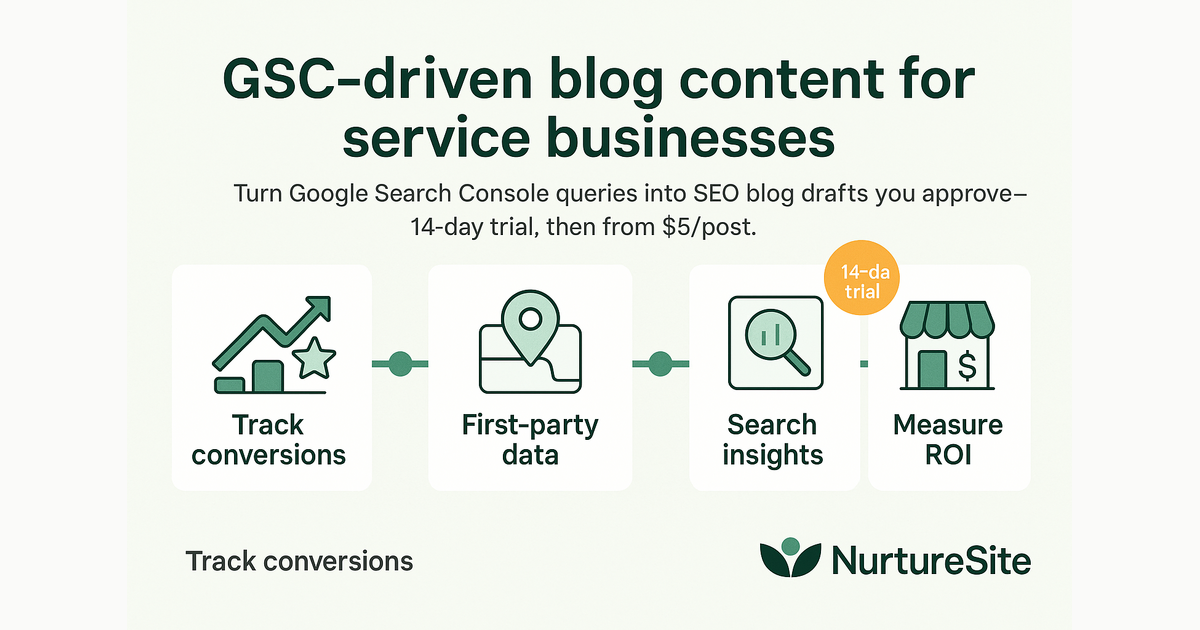
Turn Google Search Console queries into SEO blog drafts you approve—14-day trial, then from $10/post.
By AJ Herold · June 27, 2026 · 5 min read
How this was written: drafted with AI assistance from NurtureSite's product documentation and Search Console data, then checked against the sources linked above and published under the editorial responsibility of AJ Herold. Spotted an error? Email sales@mg.nurturesite.com.
Your Search Console already knows what to write about
Most service businesses guess at blog topics—or pay an agency for keyword spreadsheets that never match how customers actually find them. Google Search Console shows the queries that already earn impressions for your site. That is a prioritized content backlog hiding in plain sight.
You do not need to invent demand. You need to answer searches where your site is already on the radar—and tighten pages so more impressions become clicks and bookings.
What GSC tells you that generic SEO tools miss
Search Console is tied to your property, not industry averages:
- Queries with impressions but low click-through rate (title/meta opportunities)
- Terms where you rank on page 2—close enough that a focused post could move you up
- Seasonal spikes you can plan content around before competitors do
A landscaping company might see "spring yard cleanup checklist" with hundreds of impressions and position 14. A plumber might see "tankless water heater pros and cons" with steady demand. A dental practice might see "how often teeth cleaning" with consistent interest. Those are posts worth writing—not random "10 tips" listicles.
From query to draft (without auto-publishing)
A practical workflow keeps humans in control:
- Connect your verified Search Console property in site admin.
- Review opportunities ranked by impressions, position, and opportunity score.
- Generate a draft aimed at one target query—with internal links to your service pages, meta tags, and FAQs.
- Edit and regenerate with your notes (pricing, service area, promotions).
- Schedule or publish when you are satisfied.
Nothing should go live until you approve it. Drafts are starting points, not finished copy.
What a good GSC-driven post includes
- Title and meta description targeting the query naturally
- H2/H3 structure for scannability
- Internal links to the matching service page and booking or quote form
- Local context where accurate—service area, climate, regulations (without keyword stuffing)
- A conclusion CTA aligned with lead capture
Why this beats a content calendar alone
Calendars force volume. GSC-driven content forces relevance. You publish where you already have search visibility—compounding rankings instead of chasing unrelated keywords.
Pair posts with:
- A clear CTA to your booking or quote form—on-site booking when the intent is transactional
- Internal links from the post to the matching service page
- Updated title tags if the post replaces thin existing content
GSC content and site migrations
If you recently redesigned, confirm old blog URLs redirect properly before publishing heavily—see migrate blog posts without losing traffic.
New posts on a shaky URL foundation waste effort. Fix 404s first, then compound with fresh content.
Local SEO connection
Blog posts support local SEO for service businesses by capturing long-tail queries and feeding internal links to money pages. They rarely replace dedicated service URLs—they strengthen the cluster around them.
Example cluster for HVAC:
- Service page:
/ac-repair - GSC-driven post: "Why your AC blows warm air"
- Links: post → service page → booking
Measurement after publish
Use first-party analytics to see whether new posts drive form fills—not only Search Console impressions months later.
In GSC, track the target query's clicks and average position over 8–12 weeks. Update the post if CTR stays low—often a title/meta fix, not a full rewrite.
Tip: One excellent post per month beats four thin posts. GSC tells you which single topic deserves the next slot.
Trial, then pay per post
NurtureSite includes a 14-day SEO Blog trial with 2 free post generations on every provisioned site, plus a bonus when you first connect Search Console. After that, posts are from $10/post (pack pricing can reduce per-post cost). You are paying for research, drafting, and guardrails—not for pages you never review.
That sits alongside the broader website cost picture—cheaper than outsourcing unrelated articles that never rank.
Editorial guardrails
Even with AI-assisted drafts:
- Verify technical claims (code requirements, health guidance, pricing)
- Remove generic fluff that does not help a local reader
- Add real business policies—warranty, service area, financing
- Do not publish duplicate angles on the same query
Getting started
- Verify your domain in Google Search Console.
- In your NurtureSite site admin, open Blog → SEO Blog and connect the property.
- Sync data, pick an opportunity, and generate your first draft.
- Edit, add photos or examples from your work, and publish.
- Link the post from a related service page footer or "Resources" section.
Further reading
- Local SEO checklist for service businesses
- Migrate blog posts without losing traffic
- AI website builders for small business
Try it on your site: Register for NurtureSite and connect Search Console during your trial. Explore features and pricing when you are ready to scale content.
Avoiding thin or duplicate posts
GSC opportunities are hints, not orders. Skip a query when:
- It does not match services you want to sell
- You already have a strong page ranking for the same intent—update that page instead
- The topic needs expertise you cannot verify (medical claims, structural engineering)
When two queries overlap, one comprehensive post usually beats two thin ones. Merge impressions in your editorial plan and redirect the weaker URL if one already exists.
Seasonal trades should revisit top posts yearly—"winterize sprinkler system" needs fresh dates and pricing language, not a brand-new slug every October.
Connecting blog to revenue
Every approved post should answer: If a reader hires us, what is the next click? Link to booking for transactional intent; link to a short quote form for complex jobs. Measure results with first-party analytics after 30 days—not only rankings.
If a post attracts traffic outside your service area, tighten geo language rather than deleting useful content—you may still help brand awareness while filtering misfit leads.
Related reading
- How to Rank a Plumber in Google Maps — Want to rank your plumbing business higher in Google Maps? Here's how to set up your profile, service pages, and lead tracking the right way…

AJ Herold, Founder
Alexander Herold is the founder of NurtureSite, where he builds website, CRM, and booking software for local service businesses. He writes about what actually turns search traffic into booked work.
More about AJ HeroldPrefer NurtureSite in Google Search
Add nurturesite.com as a preferred source so our articles can appear with a preferred badge in Google Top Stories and AI Mode.
Add as preferred sourceRelated articles
- Understanding the True Cost of Small Business Websites in 2026Explore the hidden costs of cheap websites, the expected pricing for small business sites in 2026, and how to preview NurtureSite for free.
- How to Rank a Plumber in Google MapsWant to rank your plumbing business higher in Google Maps? Here's how to set up your profile, service pages, and lead tracking the right way.
- Mastering Local SEO: Essential Strategies for Service BusinessesDiscover essential local SEO strategies tailored for service businesses to enhance visibility and drive bookings. Start optimizing your local presence today!