
Leads & bookings
Creating an Effective Preschool Tour Request Form on Your Website
Learn how to design a preschool tour request form that captures essential leads and boosts enrollment.
By AJ Herold · August 6, 2026 · 5 min read
How this was written: drafted with AI assistance from NurtureSite's product documentation and Search Console data, then checked against the sources linked above and published under the editorial responsibility of AJ Herold. Spotted an error? Email sales@mg.nurturesite.com.
Understanding the Essential Fields for Your Preschool Tour Request Form
When parents are looking for a preschool, the information they expect to see on your tour request form is crucial. Here are the key fields you should include:
- Child's Age: This is often the first question parents have. Knowing the age of the child helps you determine eligibility for your programs.
- Desired Start Date: Parents will want to know when they can enroll their child. Including a field for the desired start date allows you to plan accordingly and manage your enrollment effectively.
- Contact Information: This includes fields for the parent's name, email address, and phone number. Having this information allows you to follow up promptly and provide the necessary information to potential clients.
These fields not only help you gather essential information but also set the tone for a professional and organized enrollment process. Parents appreciate transparency and efficiency, which can significantly enhance their experience with your preschool.
Leveraging Dashboard Alerts During Enrollment Season
As enrollment season approaches, it's vital to stay on top of incoming requests. NurtureSite's dashboard can help you manage this influx efficiently. Here’s how:
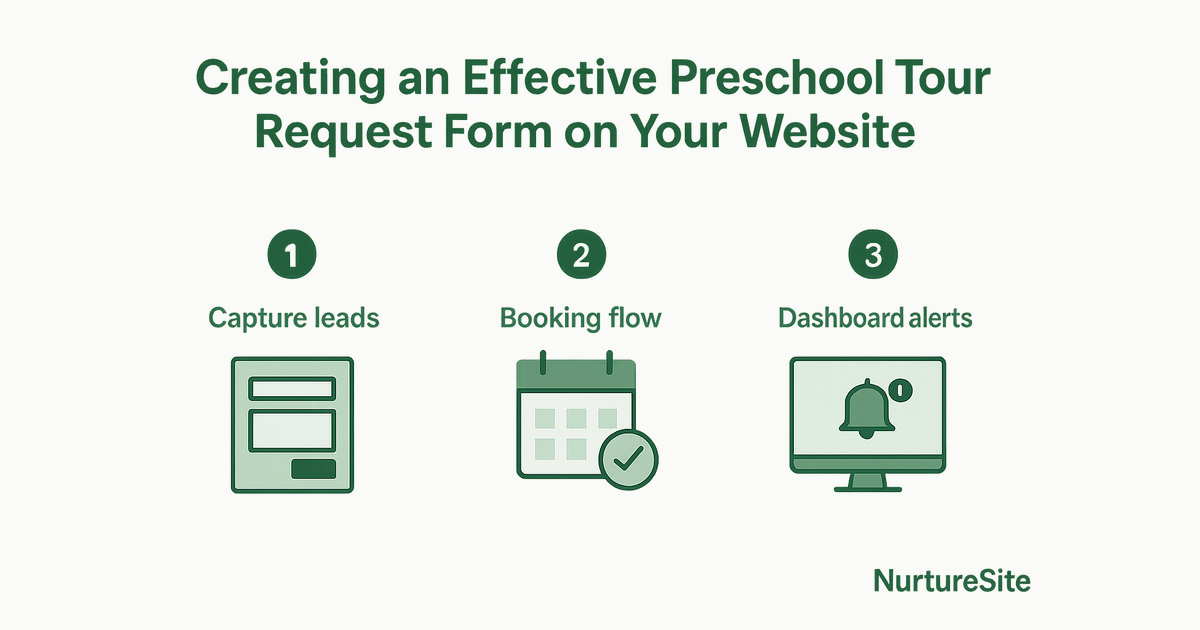
- Real-Time Alerts: Set up alerts for new tour requests. This ensures you never miss an opportunity to connect with a potential client.
- Lead Management: Use the dashboard to track and manage your leads effectively. You can categorize leads based on their status, making it easier to follow up with parents who have shown interest.
- Automated Follow-Ups: Consider setting up automated follow-up emails for parents who submit a tour request. This keeps your preschool top-of-mind and shows your commitment to customer service.
By utilizing these dashboard features, you can streamline your enrollment process and ensure that no lead falls through the cracks. For more details on managing your leads effectively, check out our guide on preschool website enrollment leads.
Understanding Attribution from Referrals and Organic Search
As you enhance your preschool's online presence, understanding where your leads are coming from is essential. Here are some key points to consider:
- Referral Traffic: Encourage current parents to refer friends and family. You can track these referrals through your dashboard to see which sources are generating the most leads.
- Organic Search: Optimize your website for local SEO to attract parents searching for preschools in your area. This includes using relevant keywords and maintaining an active Google Business Profile.
- Analytics Tracking: Utilize first-party analytics to monitor how visitors interact with your tour request form. This data can provide insights into where your traffic is coming from and how to improve your conversion rates.
By understanding the sources of your leads, you can allocate your marketing resources more effectively. For more on tracking your leads and analytics, visit our documentation on leads in your inbox.
What This Means for Your Website
Creating a well-structured tour request form is just the beginning. With NurtureSite, you can manage your leads effectively, ensuring that you capture every opportunity for enrollment. By utilizing our dashboard alerts, you can stay organized during peak enrollment seasons and ensure timely follow-ups with parents. Additionally, understanding your lead sources will help you refine your marketing strategies.
If you're ready to enhance your preschool's website and capture more leads, consider our lead capture website builder.
Conclusion
In conclusion, a well-designed preschool tour request form is essential for capturing leads and boosting enrollment. By including the right fields, leveraging dashboard alerts, and understanding your lead sources, you can create a seamless experience for parents. Ready to get started? Check out our pricing or register today!
Next steps
A modern service business website should capture leads, explain your offers clearly, and stay easy to update without a developer. NurtureSite builds your core pages, blog, analytics, and consent tooling together so you can launch in about fifteen minutes and keep improving from one dashboard.
Further reading:
Build pages that match how customers search
Service businesses win when each important job has a clear page: emergency vs install, residential vs commercial, or each major service line. Pair those pages with honest service-area copy, proof, and a simple next step. Avoid stuffing every topic onto the homepage. A focused page is easier to rank, easier to trust, and easier to convert into a call or booking.
Make Google Business Profile and your site agree
Keep your name, address, phone, categories, and hours consistent between Maps and your website. Use the same primary services in both places, and link profile actions to real pages that can capture the lead. Photos, reviews, and Q&A help, but the website still has to close the loop when someone clicks through.
Prefer owned booking and lead capture
Third-party marketplaces can send jobs, but they also train customers to compare on price and leave reviews elsewhere. An on-domain form or booking calendar with optional deposits keeps the relationship on your site. That also makes analytics cleaner: you can see which pages and campaigns produce booked work.
Publish practical proof, not filler
Short project stories, before/after notes, FAQs, and process timelines help local buyers decide. Refresh thin pages instead of publishing empty posts. When you add a blog article, link it to the service page you want to strengthen and end with a concrete CTA.

AJ Herold, Founder
Alexander Herold is the founder of NurtureSite, where he builds website, CRM, and booking software for local service businesses. He writes about what actually turns search traffic into booked work.
More about AJ HeroldPrefer NurtureSite in Google Search
Add nurturesite.com as a preferred source so our articles can appear with a preferred badge in Google Top Stories and AI Mode.
Add as preferred source