
Leads & bookings
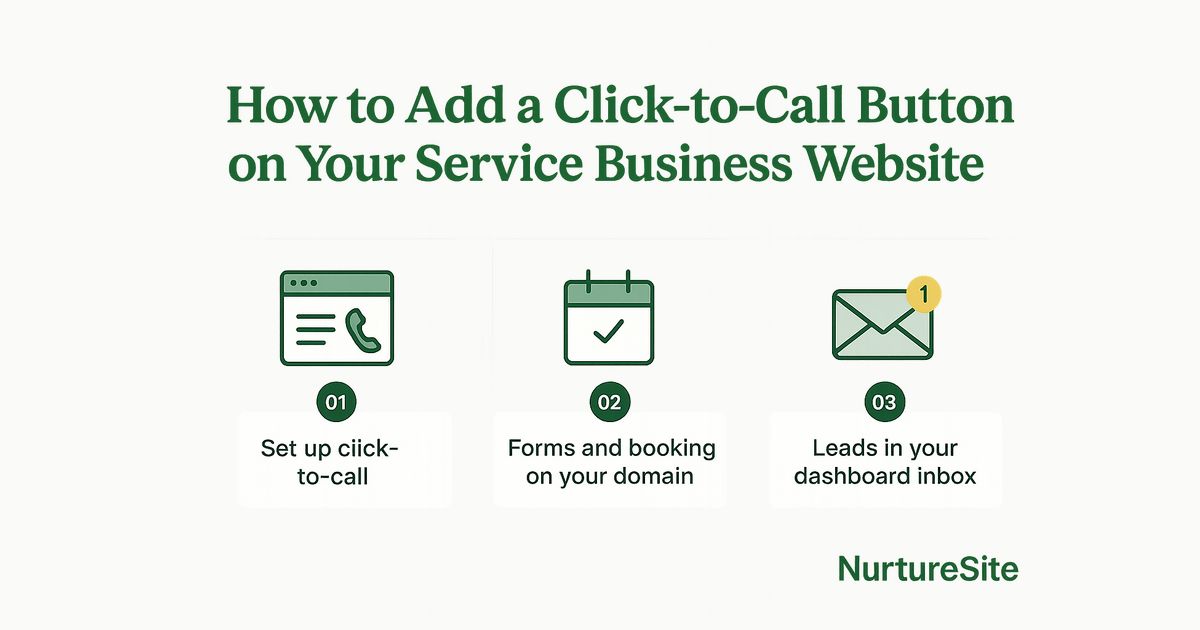
How to Effectively Add a Click-to-Call Button on Your Service Business Website
Learn how to effectively implement a click-to-call button on your service business website to boost lead generation and improve customer engagement.
By AJ Herold · September 8, 2026 · 6 min read
How this was written: drafted with AI assistance from NurtureSite's product documentation and Search Console data, then checked against the sources linked above and published under the editorial responsibility of AJ Herold. Spotted an error? Email sales@mg.nurturesite.com.
Direct Answer to Adding a Click-to-Call Button
Adding a click-to-call button on your service business website is essential for improving customer engagement and increasing lead generation. This feature allows mobile visitors to connect with your business instantly, enhancing user experience and reducing bounce rates. In this guide, we will explore best practices for implementation, tracking effectiveness, and optimizing lead capture.
Mobile Callers Bounce When the Number is Buried in the Footer
Mobile users often seek quick solutions, and if they have to scroll through your website to find your contact number, they may leave in frustration. Research indicates that a significant percentage of mobile users abandon websites that don't provide easy access to contact information. To prevent this, place your click-to-call button prominently in the header or within the main content of your pages. This ensures that visitors can reach you without hassle.
Best Practices for Placement
- Top of the Page: Position the button at the top of your homepage and service pages.
- Sticky Button: Consider a sticky button that remains visible as users scroll.
- Contrast and Size: Use contrasting colors and a larger size to make the button stand out.
Implementing these strategies can significantly reduce bounce rates and improve your chances of converting visitors into leads. For more insights on optimizing your website for mobile users, check out our article on local SEO for service businesses.
Track Tap-to-Call Next to Form Fills in First-Party Analytics
Tracking the effectiveness of your click-to-call button is crucial. By utilizing first-party analytics, you can monitor how many users are tapping the button compared to those filling out contact forms. This data provides insights into user behavior and preferences, allowing you to refine your lead capture strategies.
Setting Up Tracking
- Integrate Analytics: Use the built-in analytics dashboard in your NurtureSite account to track button clicks and form submissions.
- Define Events: Set up specific events for tap-to-call actions and form fills to measure conversions accurately.
- Analyze Data: Regularly review the data to understand which method is more effective for your audience.
By comparing these metrics, you can make informed decisions about optimizing your lead capture methods. For more detailed insights, check out our guide on first-party analytics.
Pair Click-to-Call with a Quote Form for After-Hours Visitors
Many service businesses receive inquiries outside of regular hours. Pairing your click-to-call button with a quote form can capture leads even when you're unavailable. This strategy allows potential customers to leave their information, ensuring you can follow up promptly the next business day.
Implementation Steps
- Design the Quote Form: Create a simple, user-friendly quote form that collects essential information such as name, contact number, and service needed.
- Positioning: Place the form near the click-to-call button to encourage users to take action.
- Automated Responses: Set up automated email responses to acknowledge submissions, assuring users that you will get back to them soon.
This dual approach not only maximizes lead capture but also enhances customer satisfaction by providing multiple ways for them to reach you. For more tips on lead capture, visit our lead capture solutions page.
Why NurtureSite for This Problem?
NurtureSite is designed specifically for local service businesses, offering an all-in-one solution that includes website building, lead capture, and analytics. With our platform, you can easily integrate a click-to-call button and track its effectiveness alongside other lead generation methods.
- User-Friendly Interface: Our drag-and-drop website builder makes it simple to add features like click-to-call buttons without needing technical expertise.
- Comprehensive Analytics: Monitor user interactions with first-party analytics to understand your audience better and refine your strategies.
- Lead Capture Solutions: Utilize our built-in forms and booking systems to ensure you never miss a lead, even after hours.
For more information on how to leverage these features, visit our lead capture solutions page.
Conclusion
Implementing a click-to-call button on your service business website is a straightforward yet powerful way to enhance customer engagement and boost lead generation. By ensuring easy access to your contact information, tracking user interactions, and pairing this feature with a quote form, you can significantly improve your chances of converting visitors into paying customers.
Ready to enhance your website with a click-to-call button? Start your journey with NurtureSite today by visiting our pricing page or registering for a free trial!
Next Steps
A modern service business website should capture leads, explain your offers clearly, and stay easy to update without a developer. NurtureSite builds your core pages, blog, analytics, and consent tooling together so you can launch in about fifteen minutes and keep improving from one dashboard.
Further Reading:
Build Pages That Match How Customers Search
Service businesses win when each important job has a clear page: emergency vs install, residential vs commercial, or each major service line. Pair those pages with honest service-area copy, proof, and a simple next step. Avoid stuffing every topic onto the homepage. A focused page is easier to rank, easier to trust, and easier to convert into a call or booking.
Make Google Business Profile and Your Site Agree
Keep your name, address, phone, categories, and hours consistent between Maps and your website. Use the same primary services in both places, and link profile actions to real pages that can capture the lead. Photos, reviews, and Q&A help, but the website still has to close the loop when someone clicks through.
Prefer Owned Booking and Lead Capture
Third-party marketplaces can send jobs, but they also train customers to compare on price and leave reviews elsewhere. An on-domain form or booking calendar with optional deposits keeps the relationship on your site. That also makes analytics cleaner: you can see which pages and campaigns produce booked work.
For official guidance, see Google Business Profile help.
Related reading
- Optimizing Your HVAC Website for Emergency Calls and Bookings — Learn how to effectively utilize different CTAs for urgent and planned HVAC jobs, implement deposit booking, and ensure attribution on every…
- NurtureSite for HVAC, Plumbers, and Landscapers: Streamline Your Lead Capture — Discover how NurtureSite helps HVAC professionals, plumbers, and landscapers streamline lead capture through effective quote forms, on-domai…
- Maximize Bookings with On-Domain Scheduling and Deposits — Discover how booking on your own domain, clear service menus, and deposit systems can enhance your service business's efficiency and reduce…
- Landscaping Website Quote Form Best Practices for Effective Lead Capture — Learn how to optimize your landscaping website for effective quote capture with best practices for gallery blocks, project pages, and analyt…

AJ Herold, Founder
Alexander Herold is the founder of NurtureSite, where he builds website, CRM, and booking software for local service businesses. He writes about what actually turns search traffic into booked work.
More about AJ HeroldPrefer NurtureSite in Google Search
Add nurturesite.com as a preferred source so our articles can appear with a preferred badge in Google Top Stories and AI Mode.
Add as preferred sourceRelated articles
- Maximize Bookings with On-Domain Scheduling and DepositsDiscover how booking on your own domain, clear service menus, and deposit systems can enhance your service business's efficiency and reduce no-shows.
- Landscaping Website Quote Form Best Practices for Effective Lead CaptureLearn how to optimize your landscaping website for effective quote capture with best practices for gallery blocks, project pages, and analytics.
- Optimizing Your HVAC Website for Emergency Calls and BookingsLearn how to effectively utilize different CTAs for urgent and planned HVAC jobs, implement deposit booking, and ensure attribution on every form fill.
- NurtureSite for HVAC, Plumbers, and Landscapers: Streamline Your Lead CaptureDiscover how NurtureSite helps HVAC professionals, plumbers, and landscapers streamline lead capture through effective quote forms, on-domain booking, and source attribution.